


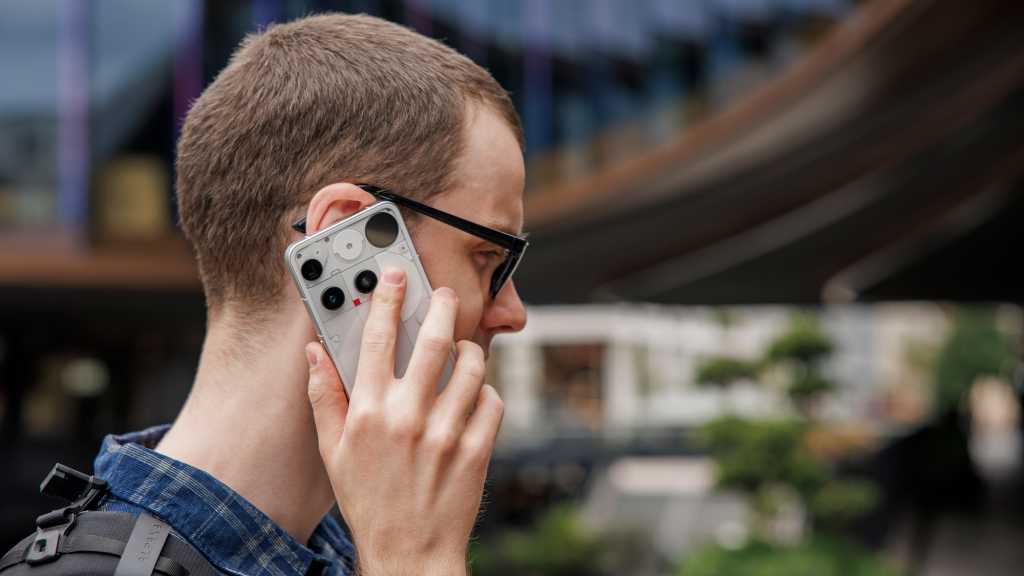
For a long time, I hated the effect my smartphone was having on my life.
That might come as a surprise: as Tech Advisor’s Mobile Editor, testing and writing about the latest handsets is a core part of my job, and something I really enjoy.
But one of the smartphone’s biggest strengths – its incredible portability – is also one of its primary issues. With an incredibly powerful computer in my pocket at all times, it can feel almost impossible to escape.
Before I knew it, genuine testing for work had become hours of mindless use, and the results were predictable. After finally tearing myself away from the screen (often an hour after I’d planned to go to bed), I realised just how exhausted, stressed and generally cynical about the world I was feeling. From talking to friends and family, I know this isn’t an isolated experience.
However, my early attempts to curb my problematic use were unsuccessful to varying degrees.
The Galaxy Z Flip 6’s cover screen was meant to enable key tasks without getting sucked into a big, distracting display, but it was so frustrating to use that I kept opening it anyway. An old-school ‘dumb phone’ was great for a couple of days off-grid or a quiet week off, but the lack of key tools made real-world interaction a nightmare.
Anyron Copeman / Foundry
And then there were the countless apps, launchers and home screen layouts, each with its bold promise to help reduce screen time and each accompanied by a rush of hope that this might finally be the solution I’d been waiting for.
But nothing stuck. Within days (or sometimes only hours), I was back to my usual digital diet: compulsively checking news sites, being overwhelmed by emails and doomscrolling social media. Ugh.
That was until earlier this year, when something finally, fundamentally shifted. A series of self-experiments, subtle tweaks and a phone switch later, I’ve finally found the combination of strategies that works for me.
And the results speak for themselves: daily screen time that’s been slashed by more than half (from over four hours to under two, on average) and a list of most-used apps that anyone would be happy to show off.
Within days (or sometimes only hours), I was back to my usual digital diet: compulsively checking news sites, being overwhelmed by emails and doomscrolling social media. Ugh
Most importantly, now I feel that I’m in control of the way I use my smartphone, rather than the other way around.
However, a word of warning: the steps I outline in this article are specific to myself and rely solely on anecdotal evidence. While there’s research supporting the effectiveness of some, I’d never claim that they’ll work for everyone.
To find out the strategies that work for you, I’d urge you to regularly experiment and be open to new things. Hopefully, you’ll be inspired to give some of these a try.
Find out how you’re using your phone…
Many people talk about their ‘screen time’: indeed, I’ve referred to mine in the introduction above. But what’s more important is where that time is being spent.
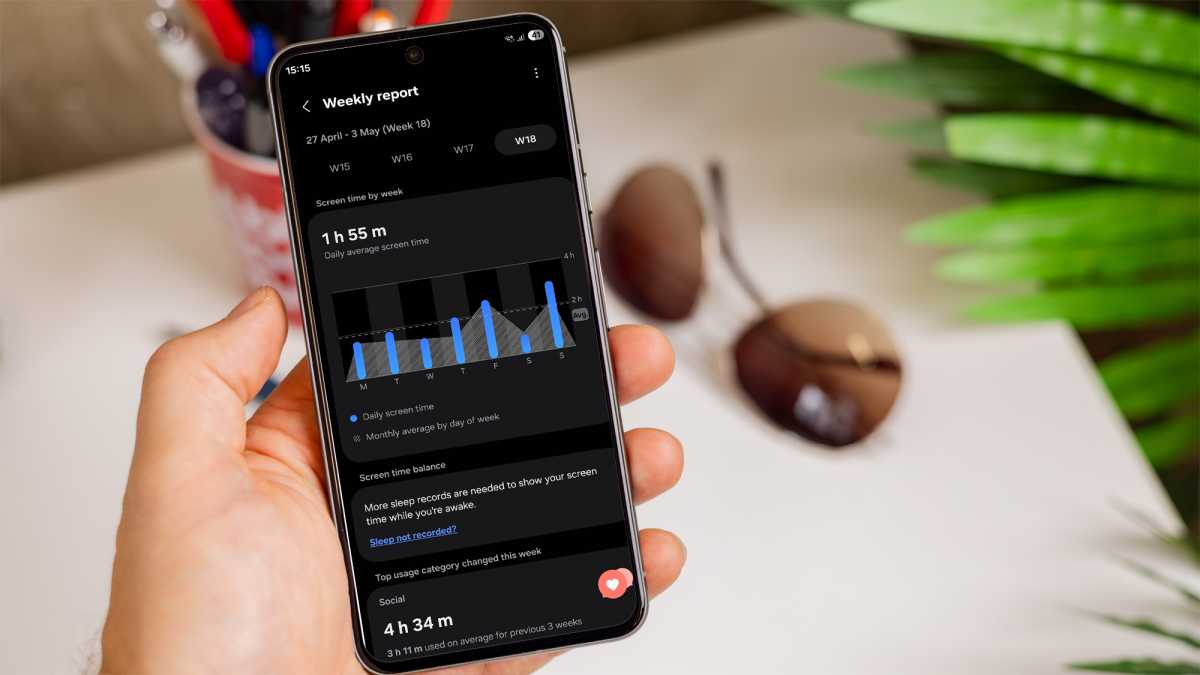
This is where tools such as Digital Wellbeing on Android, and Apple’s Screen Time are useful. By default, both record every minute you’re spending on your phone and on which apps. Some can even break down the sites you’re visiting in the web browser, which I found particularly illuminating.
Foundry
Be prepared: this may come as a shock. On some days, I thought I’d barely used my phone, only to be told I’d spent two hours on YouTube (watching Shorts, mostly) and another hour cycling between news sites. Ouch.
…and then get regular reminders
Seeing sky-high screen time figures can jolt you into action, but in my experience, consistent, smaller nudges are more effective at motivating long-term change.
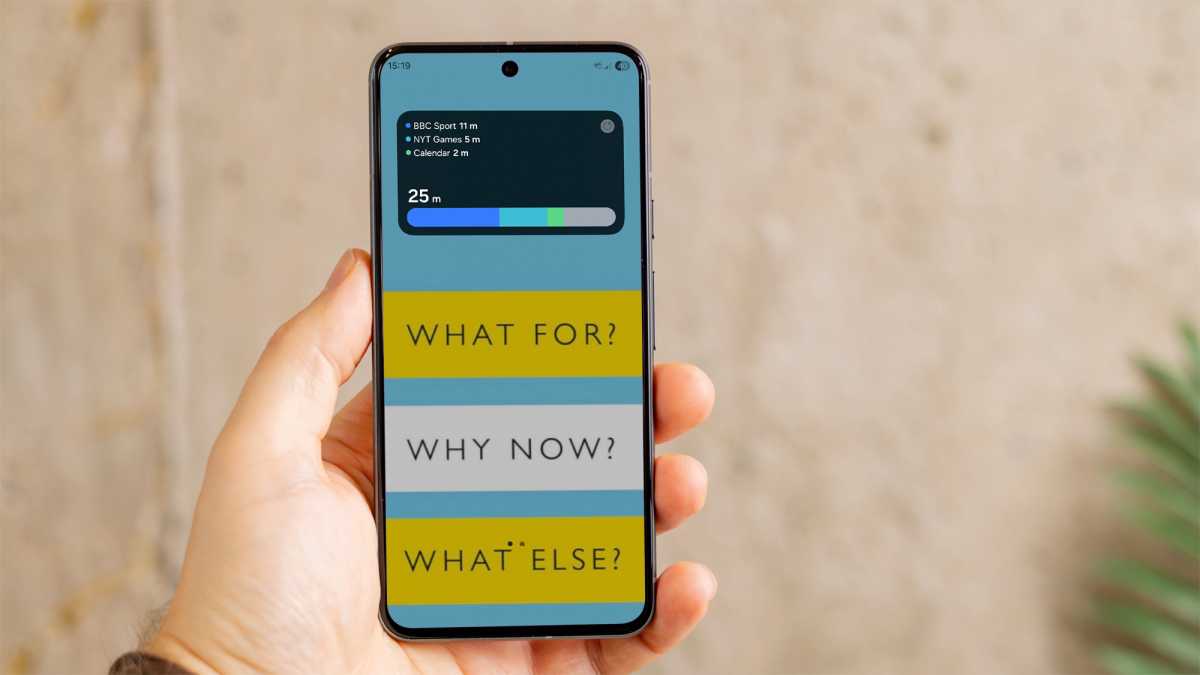
I took this very literally, plonking a screen time widget front and centre on my home screen. Every single time I unlocked my device, I couldn’t ignore how long I’d already spent using it that day.
Foundry
Your prompts don’t have to be quite so overt, but I found that checking in each morning to review the previous day was very effective. Some phones can also send you weekly reports on your phone usage, allowing for one heavy day to be put into the context of wider trends.
Every single time I unlocked my device, I couldn’t ignore how long I’d already spent using it that day
However, be aware of the web browser trap. What can look like modest Chrome or Safari use can hide a multitude of distracting websites, including social media sites. As part of the review, I’d encourage you to check your browser history to see what you’ve actually been looking at.
Nip mindless usage in the bud
Until I finally got my smartphone use under control, I was scrolling social media and news sites without even thinking. It became a subconscious, automatic response to any moment of downtime or discomfort.
I felt terrible afterwards, but the instant hit of dopamine was enough to keep me coming back.
A key facet of my strategy in correcting this was to introduce more friction. My smartphone still offers access to potentially distracting tools such as a web browser or email apps, but I’ve made it much harder to find and start using them.
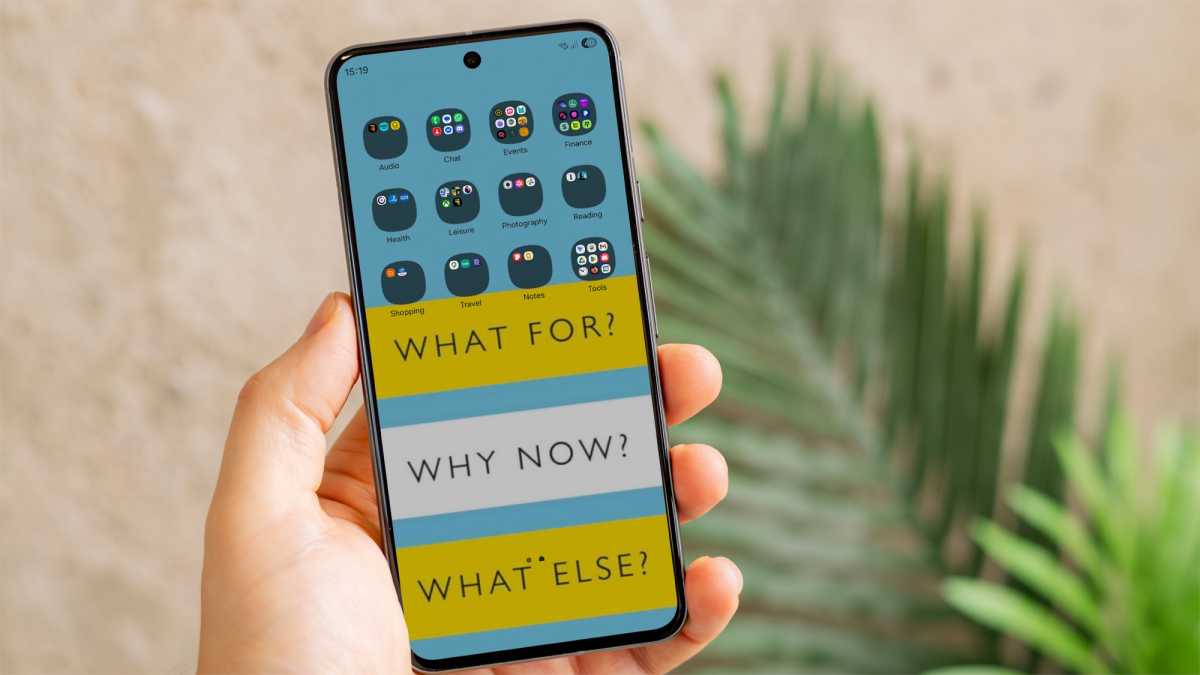
First up: folders. One of the reasons I switched from a Google Pixel phone to a Samsung Galaxy handset is that it lets you disable the app drawer. I found it far too easy to simply swipe up and have seamless access to every single app I had installed.
By replacing them with home screen folders, I was forced to be intentional when I wanted to use a specific one.
Foundry
In the process of setting these up, I deleted a lot of apps I’d previously deemed important but that were no longer serving me. Until then, I was guilty of installing apps and never using them, yet leaving them sitting on my phone. No longer.
Eventually, I settled on 12 categories: Audio, Chat, Events, Finance, Health, Leisure, Notes, Reading, Shopping, Travel, Photography and Tools. If it doesn’t fit in one of those categories, it’s getting uninstalled or disabled.
An important point: none of these folders is on the main homepage – that’s reserved for the Digital Wellbeing widget alone for now. The extra swipe required can sometimes make all the difference.
…introducing some friction into your phone experience is a non-negotiable if you’re serious about reducing mindless usage
However, my wallpaper has been carefully chosen to make me think about what I’m doing. It features three questions designed to stop me in my tracks: “What for?”, “Why now?” and “What else?”
These are the three questions suggested by Catherine Price, author of How to Break Up with Your Phone. It’s not exactly the prettiest home screen in the world, but I found it to be very effective, especially when first embarking on this new strategy. If I can’t give an immediate answer to all three, it’s not important enough.
I don’t think any of these strategies are a necessity. But introducing some friction into your phone experience is a non-negotiable if you’re serious about reducing mindless usage.
Get an accountability partner
One of the reasons I struggled to curb my mindless phone usage was the lack of consequences if I failed.
Sure, I’d feel terrible and a bit guilty, but no-one knew I was even trying to build healthier phone habits, let alone the specific goals I’d set for myself.
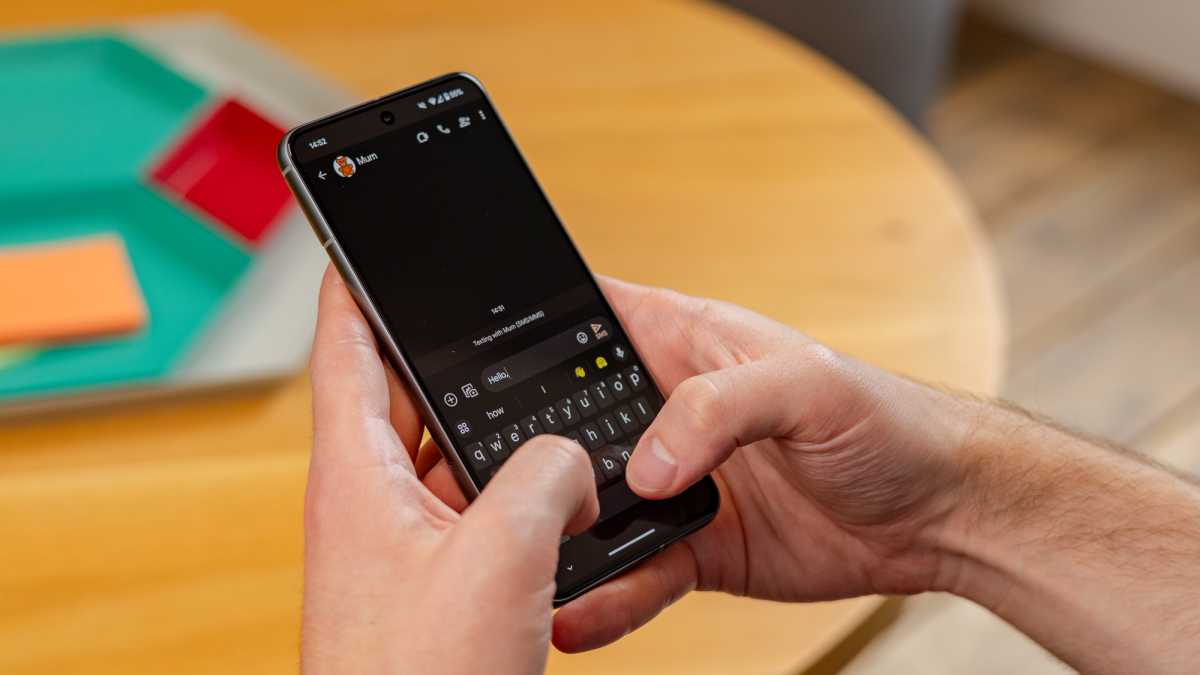
Having an accountability partner changed all that. Now, someone else knew exactly what I was trying to do, and would require an explanation if I didn’t achieve it.
Foundry
Suddenly, the excuses of “I was too tired” or “I felt uncomfortable” would no longer cut it. The risk of disappointing them was often enough for my behaviour to change significantly, especially with near-daily reviews of how I’ve been getting on.
Throughout the process of getting my phone use under control, my accountability partner has been my mum. She was an ideal choice, as someone who’s currently living with me and is highly invested in my wellbeing. And despite upgrading to a powerful smartphone a couple of years ago, her use has never tipped over into the problematic category.
…in the early stages of forming new digital habits, I found an accountability partner to be indispensable
It can be difficult to find a suitable candidate, especially if the people you live with aren’t quite as willing. But anyone you care about enough not to want to disappoint will do the trick.
Of course, the eventual goal is to be accountable only to yourself. But in the early stages of forming new digital habits, I found an accountability partner to be indispensable.
Find analogue hobbies to fill up your time
If you successfully reduce your phone use, you’ll need to find new ways to spend that precious free time. Browsing on a laptop, bingeing a TV show or gaming for hours are probably the most appealing, but I found them just as addictive and was often left with a similarly empty feeling afterwards.
However, after years of filling almost my entire waking life with screens, I’d forgotten what I actually enjoyed doing without one. Cue the self-experimentation process.
…when instant hits of dopamine are what you’re used to, the switch to analogue hobbies can feel jarring
I created a bank of analogue activities that I’d be up for trying, then recorded the ACE (Achievement, Connection and Enjoyment) scores for each to see how they made me feel.
Over the course of a few weeks, I figured out the ones that made me feel like I’d achieved something, connected with people or simply enjoyed. A single activity almost never satisfies all three – it’s a balance throughout the week that you’re looking for.
Eventually, I’ve settled on a few that consistently work for me: reading fiction that interests me (ignoring the “classics” for now), playing Scrabble, going on dog walks, morning Pilates and regular yoga.

Anyron Copeman / Foundry
Again, the list will probably look very different for you: that’s what the self-experimentation process is for.
But be warned: when instant hits of dopamine are what you’re used to, the switch to analogue hobbies can feel jarring. But by being patient, you should start to see a real benefit.
Get new apps for your downtime
While reducing screen time may be a necessity, eliminating it shouldn’t be the goal. A smartphone is a brilliant tool, and it can also be used to support your downtime rather than stop you relaxing.
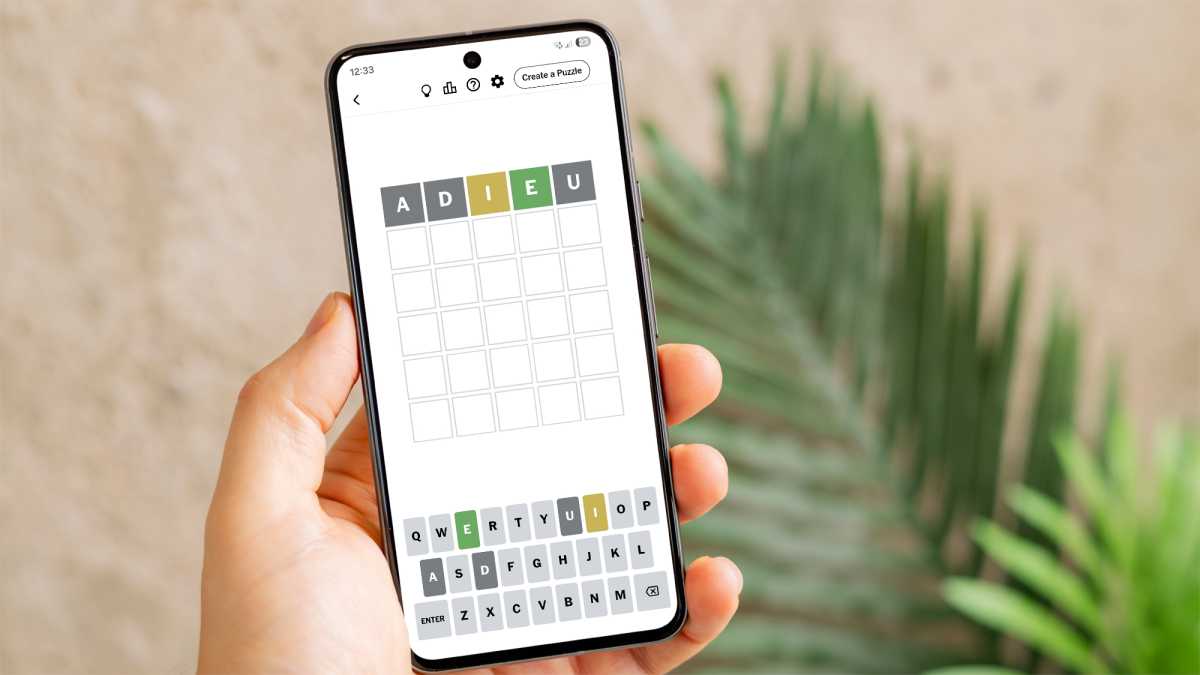
My newfound NYT Games habit is a prime example. It’s my most-used app pretty much every day, adding a significant chunk to my daily screentime. But I look forward to spending a few minutes completing crosswords, finding groups of connections and identifying the five-letter word each day, which has to be a good sign.
Foundry
I certainly won’t be getting addicted to them anytime soon, and I find it an easy, low-effort way to chill out after a busy day.
The New York Times’ own Crossplay app has proven to be my favourite digital version of Scrabble, while the Kindle app lets me easily resume my reading from anywhere. Oh, and BBC Sport is a must-have for keeping track of the football scores and F1.
A smartphone is a brilliant tool, and it can also be used to support your downtime
Combined, they create a smartphone experience that I enjoy and that adds genuine value to my life. It’s an upgrade on the old doomscrolling routine and obsessive calendar management, that’s for sure.
Replace quick searches with a brain dump
For years, I’d get sucked into my phone, kidding myself that I just had a quick thing to look up. I’d search for a celebrity’s age or add something to my calendar, then I’d get distracted by a notification or go down a Wikipedia rabbit hole. Before I knew it, 30 minutes had evaporated. So much for “quickly looking it up”, eh?
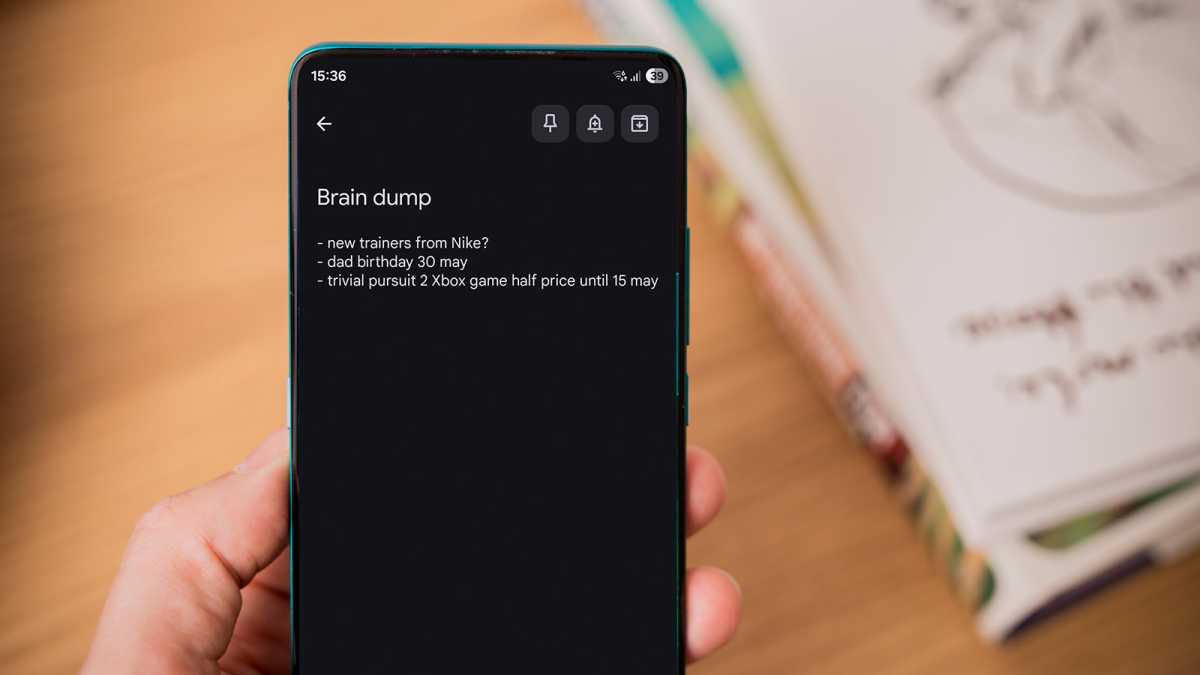
Switching to a “brain dump” note has been transformational. Unless I urgently need to act before Sunday, anything that pops into my head is added to a pinned note in my Google Keep app. It gets the thought out of my mind and stops me worrying about it being forgotten, yet avoids the temptation of a web browser or another distracting app.
Foundry
By reviewing it each week, the list never gets out of control. And it’s amazing how seemingly crucial things become totally unimportant or uninteresting a few days later.
Switching to a “brain dump” note has been transformational
While I was tempted to use a paper notebook, the digital version allows me to add links or images for future reference seamlessly. It also guarantees that it’ll be available across all my devices, whenever I need it.
Try the “phone foyer” method
As I mentioned in the intro, the portability of a smartphone can cause serious issues. I found that it was hardest to resist when at home on my own, when I didn’t need to speak to anyone or be judged for how long I was using it.
But this was terrible for my mental health, so I needed a way to make my smartphone easily accessible at home, without it dominating my life.
I’m yet to miss a notification urgent enough to require an immediate response
And that’s when I discovered “The Phone Foyer Method”. Coined by Cal Newport, author of Digital Minimalism, it describes a place in your home where your phone always “lives” when you’re not using it – just like landlines used to be in the foyer of hotels.
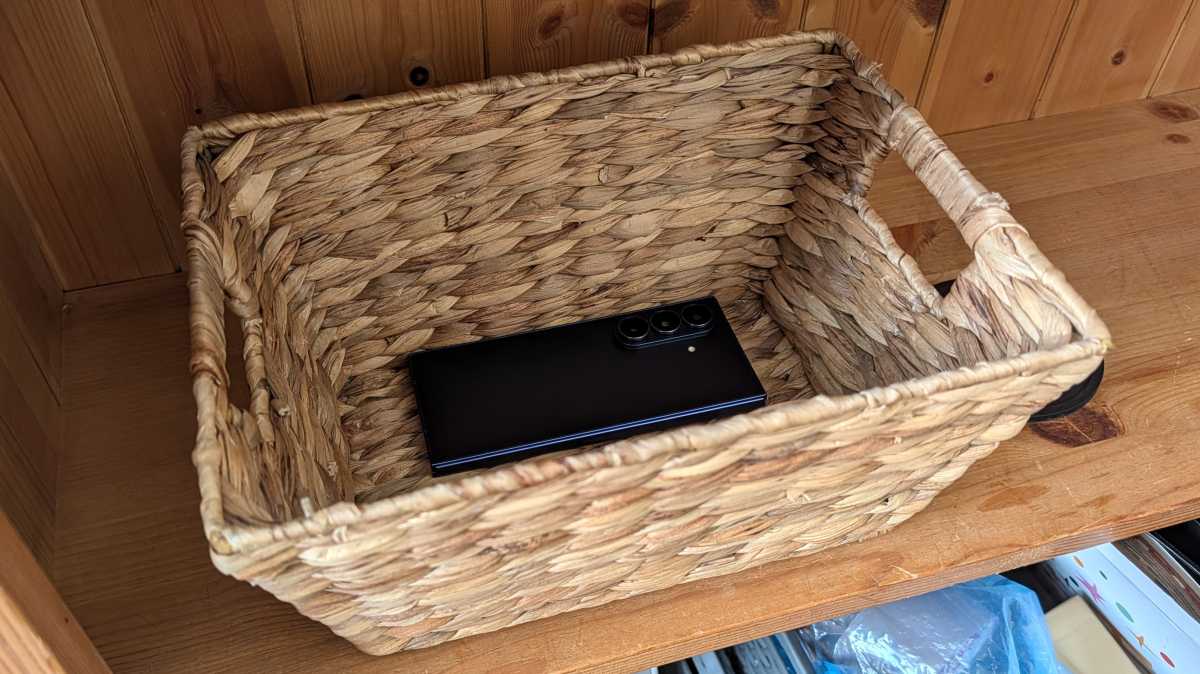
My version is a little less strict – it’s a basket on the bookshelf next to my sofa – but it offers the perfect balance between easy access and intentional use. If I want to use it for the daily Wordle or checking the Man Utd score, I’ll need to make a conscious decision.
Foundry
Turning on the ringer means I don’t miss an important call, and it avoids me constantly checking my phone for “updates”. I’m yet to miss a notification urgent enough to require an immediate response.
Another benefit of this approach is that I basically never lose my phone. It’s amazing how often a device that was nearly always next to me or in my pocket used to go missing!
Don’t ditch your smartphone
I have no plans to get rid of my smartphone anytime soon. It’s replaced countless other tools, playing a crucial role in both my personal and professional life.
Unless you can live with a dumb phone or limit yourself to the cover screen of a flip phone, it’s probably not the device you’re using that’s the problem: it’s the way you’re using it.

Dominik Tomaszewski / Foundry
By monitoring your use, trying out different strategies and really thinking about which activities are worthwhile, you can use your smartphone to improve, rather than detract from, your life.
After almost a decade of attempts, I’ve finally found something that feels sustainable in the long term, and have no desire or intention to go back to the way things were.
I’m now off to put my phone back in its dedicated spot, ready to be forgotten about until I actually need it for something. You know, like everyone used to.