


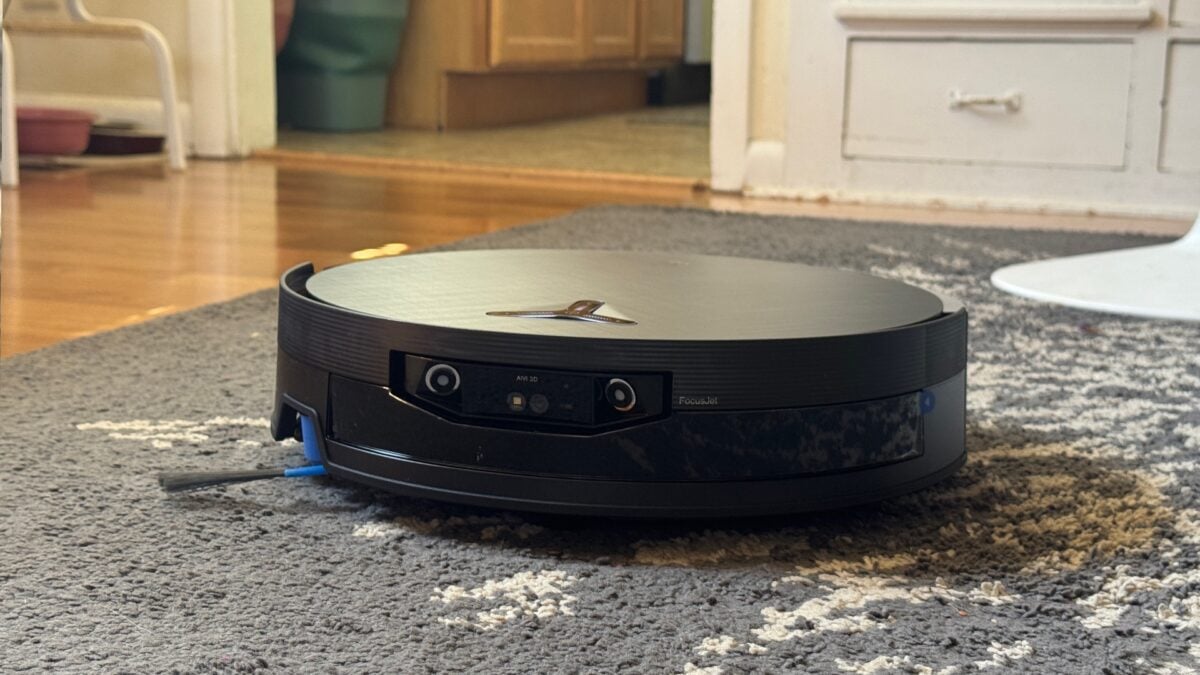
In my last robot vacuum review, I let on a little about how I test these products. I let them run in a clean house, sure—but with a kid in my home, things get messy fast. After I get through a few tests, I schedule it up and let it go off on its own, to navigate a floor that’s often littered with the detritus of youth. I did all of that with the Ecovacs Deebot X12 OmniCyclone, and when it came time to go off on its own, I was left with a lot of disappointment.
The $1,500 X12 is essentially the same as the X11 OmniCyclone that Ecovacs released in late 2025, except this time it has a shield that covers the mop roller to prevent a dirty mop from dragging across your carpet. The big pitch for both is that they use on-device AI to set their cleaning habits for you, based on your stated preferences (via settings or by typing into a chatbot), and your revealed preferences (how you use the robot).
When I wrote about the X11 OmniCyclone last year, I wondered if on-device AI would make for a robot vacuum that you can still control, even for custom jobs, well after its manufacturer goes under or abandons the product, leaving it a one-button, clean-everything-or-nothing affair. That may well be the case with the X12, but after more than a week of testing, it’s not clear whether the feature is ready.
Ecovacs Deebot X12 OmniCyclone
A promising-on-paper robot vacuum that costs way too much to have so many issues.
- Great mopping performance
- Generally solid vacuuming
- Very quiet
- Useful built-in voice assistant
- Dock has a quiet self-emptying mode
- Good battery life
- Very fast charging
- Too expensive
- Slow
- Can hit furniture too hard
- Poor object avoidance
- Can drop things it’s already picked up
- Clog-prone dustbin
Good bones
I had high hopes for the X12 based on how simple the unboxing and setup were compared to those of other robot vacuums. Ecovacs packs the box well, making sure you see everything that comes with the robot, like the two 8.8-ounce bottles of floor-cleaning solution that sit in a cardboard tray at the top of the package, under a large quick-start guide printed on cardstock. Under the tray, you’ll find the dock, wrapped in plastic and easy to pull out. And to the side, a wide, squat cardboard box that contains the robot vacuum itself.
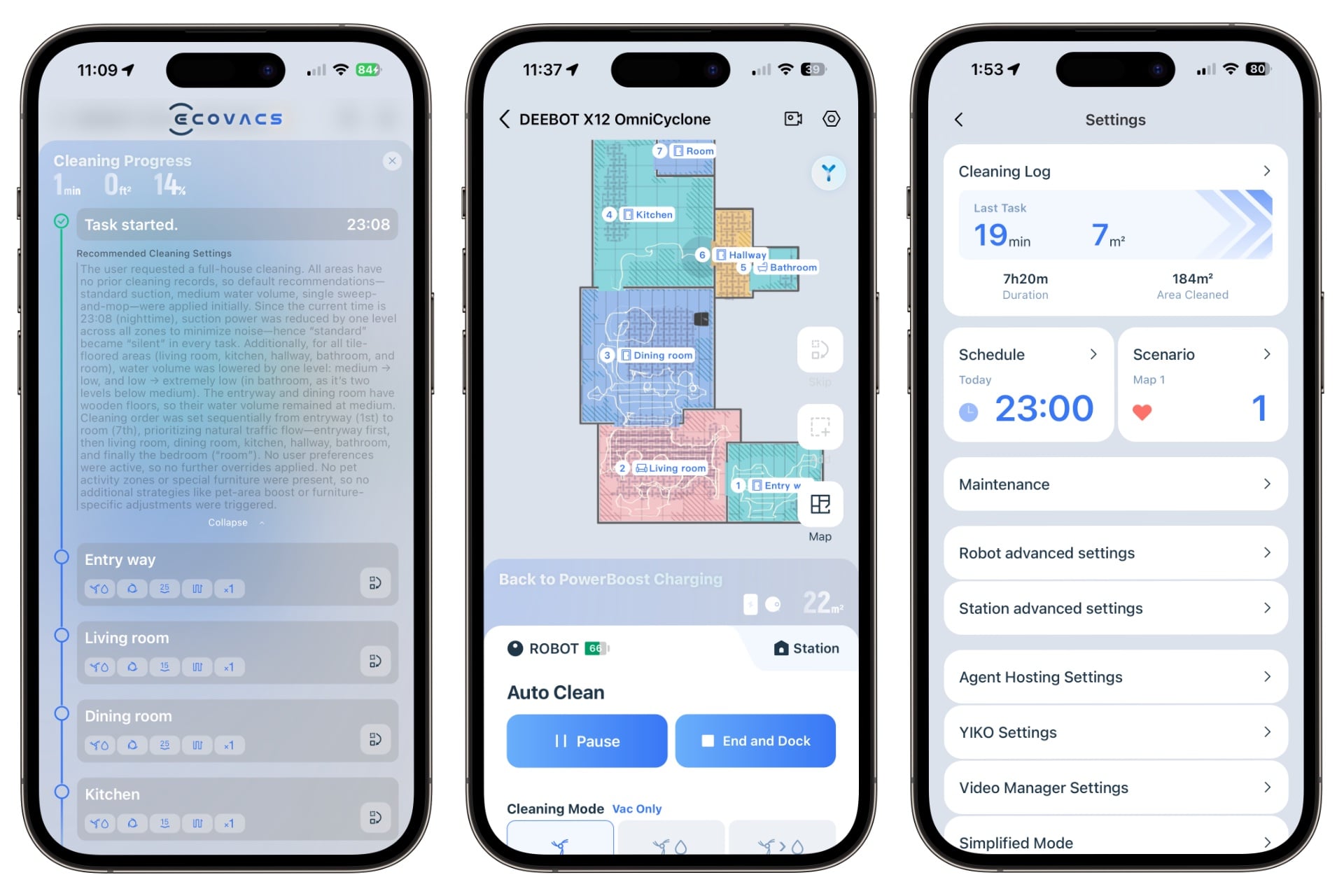
It took about 30 minutes to unbox and set up the X12 before sending it on its first mapping run, which took about seven minutes and used approximately 10 percent of its battery life. (It started with 93 percent out of the box.) That’s great, as is the fact that the Ecovacs app is a lot more approachable and user-friendly at first glance than, say, Dreame’s app for the Aqua10 Ultra Roller or X60 Max Ultra Complete. It has enough options—scheduling, toggling the voice feedback, configuring carpet management, ordering it either to vacuum or to vacuum and mop—to let you feel in control of the robot, but not so many that it’s overwhelming.
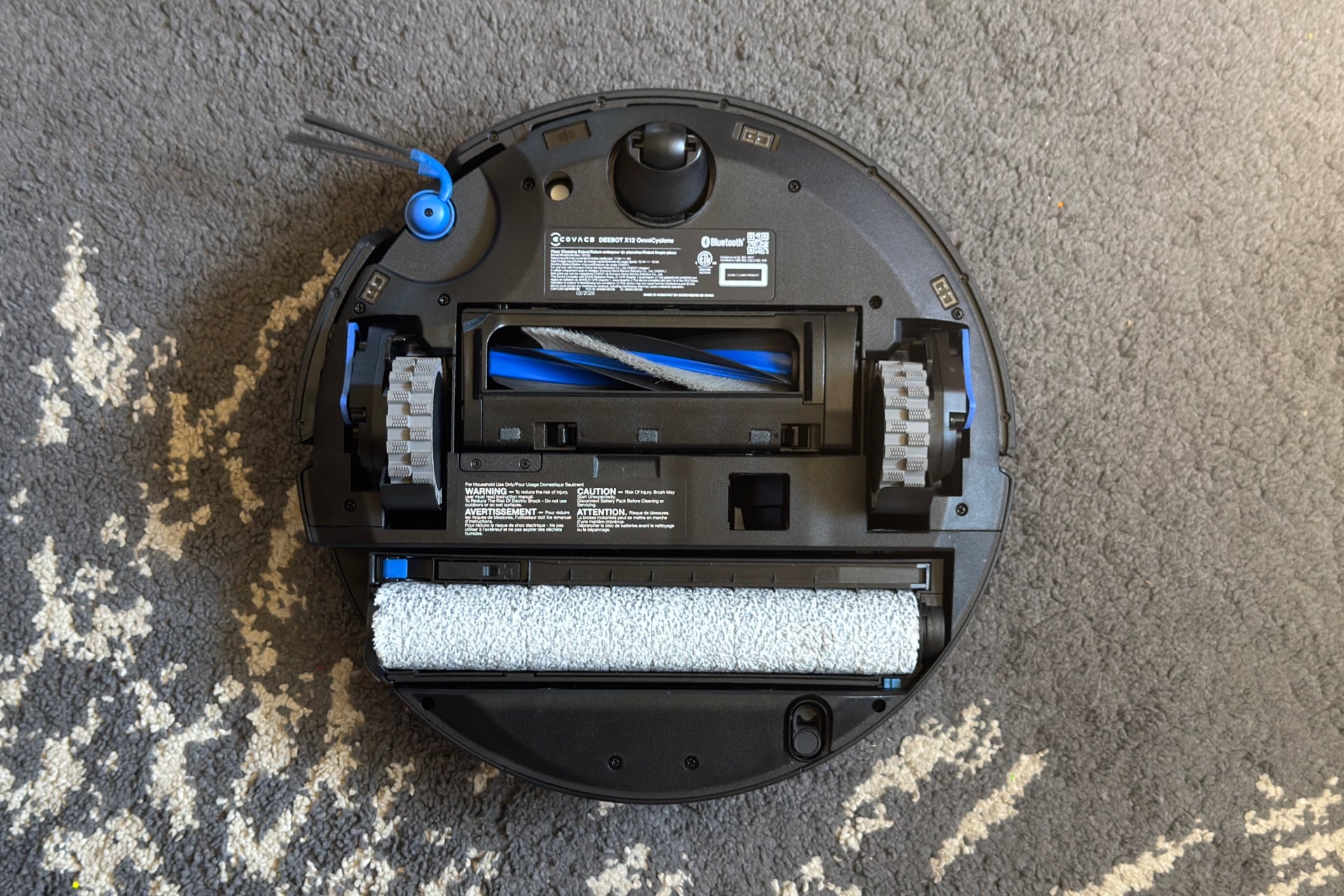
Physically, the X12 is well-equipped. Like the Aqua10 Ultra Roller, it’s got a 10.6-inch-wide mop roller that slides in and out of the body by up to an inch), getting it fully up to the edges of walls and furniture to clean, and a base station that washes the mop between runs so you don’t have to worry about hand-cleaning it. On the front, the X12 has dual water jets that can soak hard crud on wood flooring before it mops it up, although it didn’t quite get all the dried hot sauce I sent it after in my kitchen, leaving a little residue after two passes. In fairness, what was left was hard to see against the tile’s mottled surface. When I tested the robot against a fresh ketchup spill, it performed very well, cleaning up the condiment and leaving behind no streaks or smears.
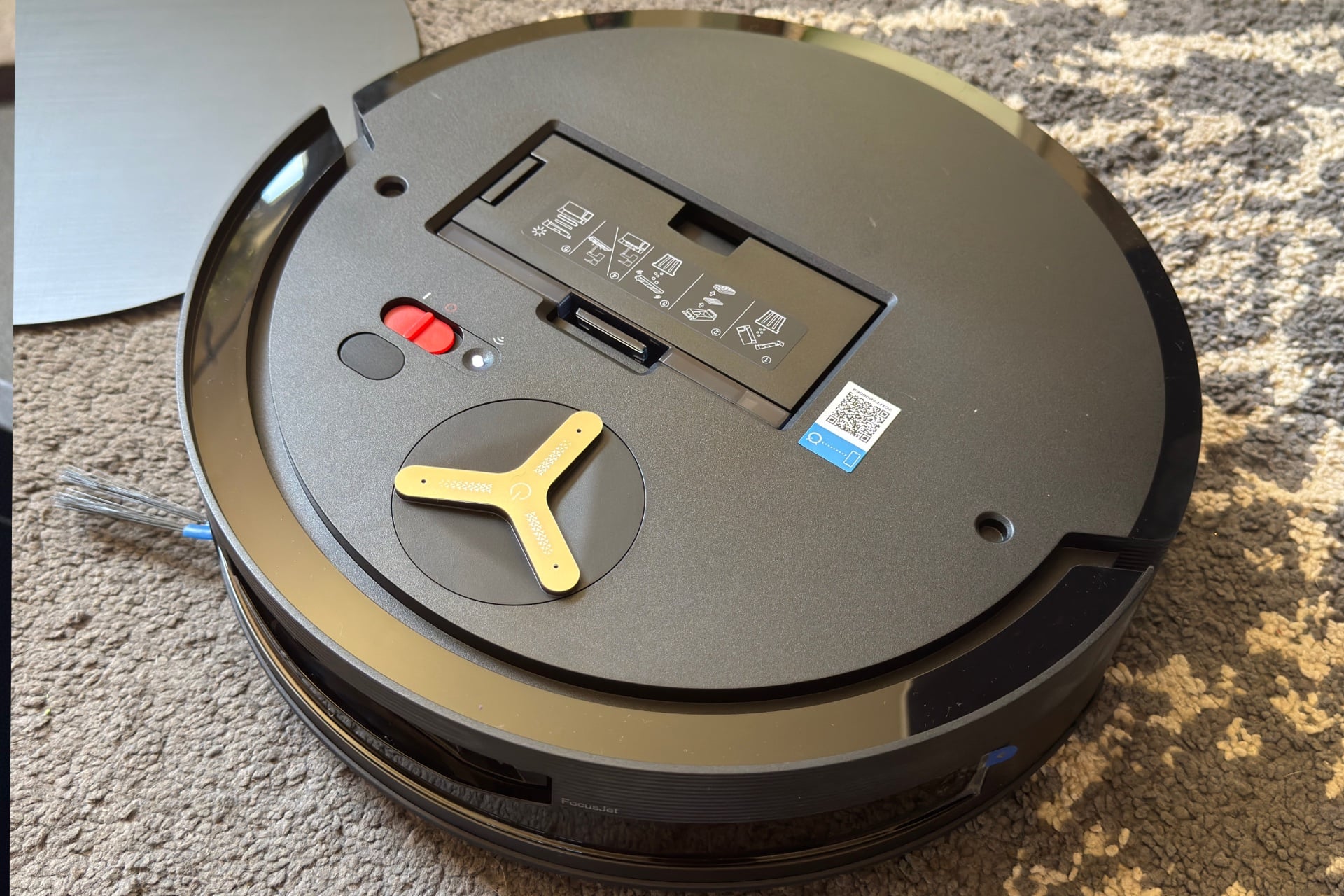
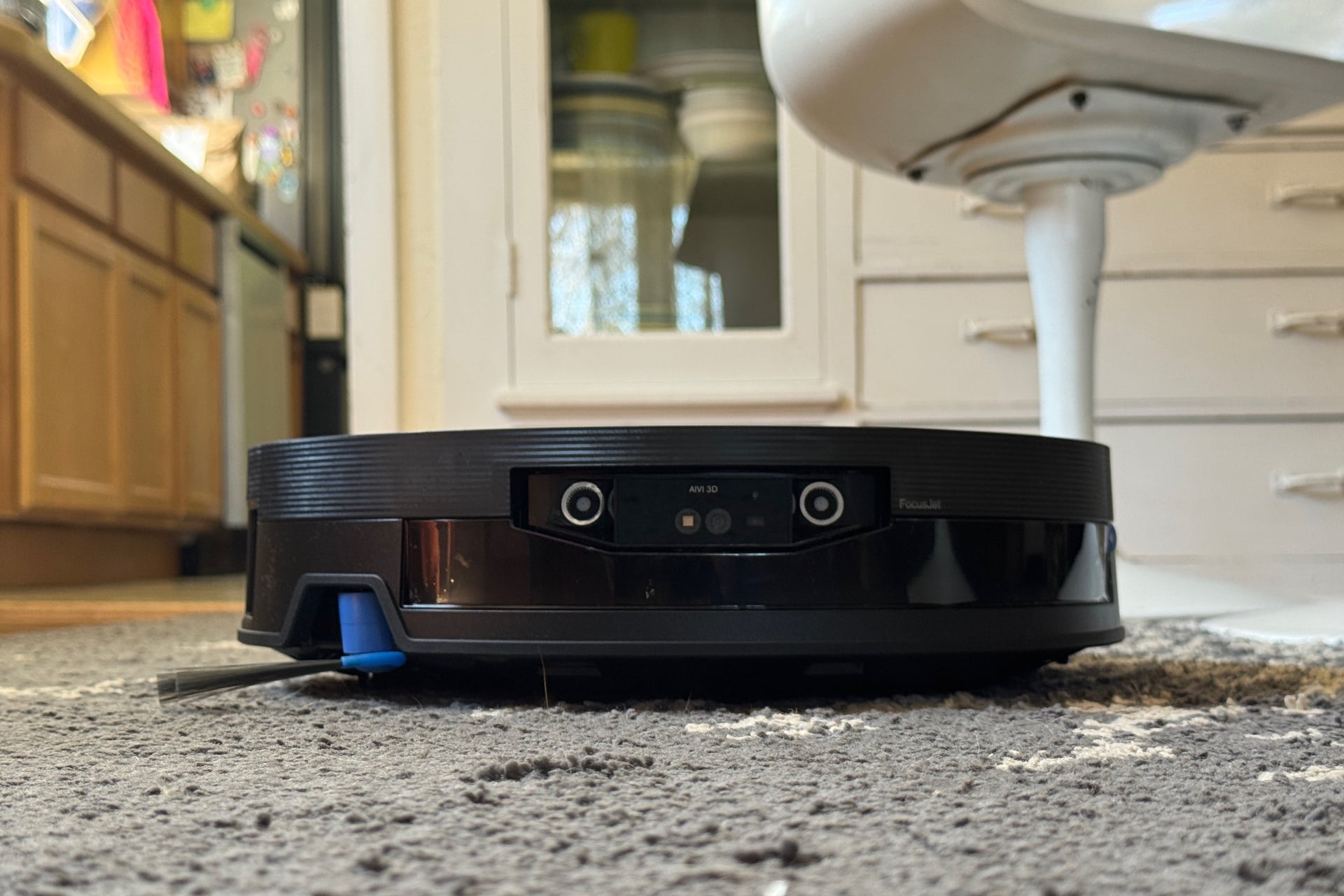
On the robot’s side, a dual-arm, rotating side brush sweeps debris under the chassis but never seems to move fast enough to fling dirt out of reach, as some other robot vacuums can. Up top, you’ll find a circular panel on the X12 with a cutout for the Deebot logo that doubles as a touch-sensitive start/stop button. Under the panel is the X12’s 1.6L dustbin and—glory be—a sliding power switch. Imagine! A physical switch for turning the robot off and on! (Other Deebots have power switches too; I’m just excited when I find such a thing on any tech product these days.)
The X12 could be very good at cleaning, at least in the non-AI cleaning mode that lets you set specific preferences for each clean, such as the number of passes or whether to vacuum, vacuum and mop simultaneously, or vacuum and then mop. It toodled about my home, almost whisper-quiet in its default “Standard” suction mode, doing a lap around each room before zig-zagging across the middle. It didn’t quite get everything it came across, though, and seemed to have special trouble with dirt around the edges of rugs. (That’s about par in the world of robot vacuums.)
The onboard Yiko voice assistant was handy, letting me use natural language to ask it to do things like clean a specific room or even a particular area of one. When I asked it to clean the rug in my kitchen, it went and cleaned the rug in my kitchen. It wasn’t consistent, though; I could ask it to vacuum the rug in my kitchen without specifically defining one in the app, but it wouldn’t do that in other rooms. And although I could chain commands, like “vacuum the living room and mop the entryway,” it would start mopping and vacuuming both areas. When the X12 was working as intended, however, it was a nicer experience than I expected, even if I was a little creeped out by the way it slowly, ominously turned to face me when I interrupted whatever it was doing with its “OK Yiko” wake phrase.
Disappointingly, the onboard voice assistant doesn’t really work without a network connection, and neither does app control. When I blocked the robot from my network and said its wake phrase, it would turn to me and respond, “I’m listening,” but did nothing when I asked it to clean, and it was unreachable from the app. Almost all robot vacuums require a network connection to function, but that’s something I’d like to see change after experiencing full, local-only control with the Matic robot vacuum last year.
On cleaning runs, the X12 has decent battery life, but it can also recharge super fast—enough to restore about 10 to 15 percent of battery life whenever it returns to wash its mop in the middle of a cleaning job. On mop-free runs, the robot still returns to its dock when it’s lost about 15 percent of its battery to recharge. That never takes long and could save the robot from the fate of so many others that get stuck during a run and lose their battery by the time they’re discovered (although that did happen to the X12 once, when I ran it overnight and a chair was too close to its dock, confusing it). That said, the X12 can still go the distance; its battery was at about 55 percent when I ran it for nearly two hours without letting it charge.
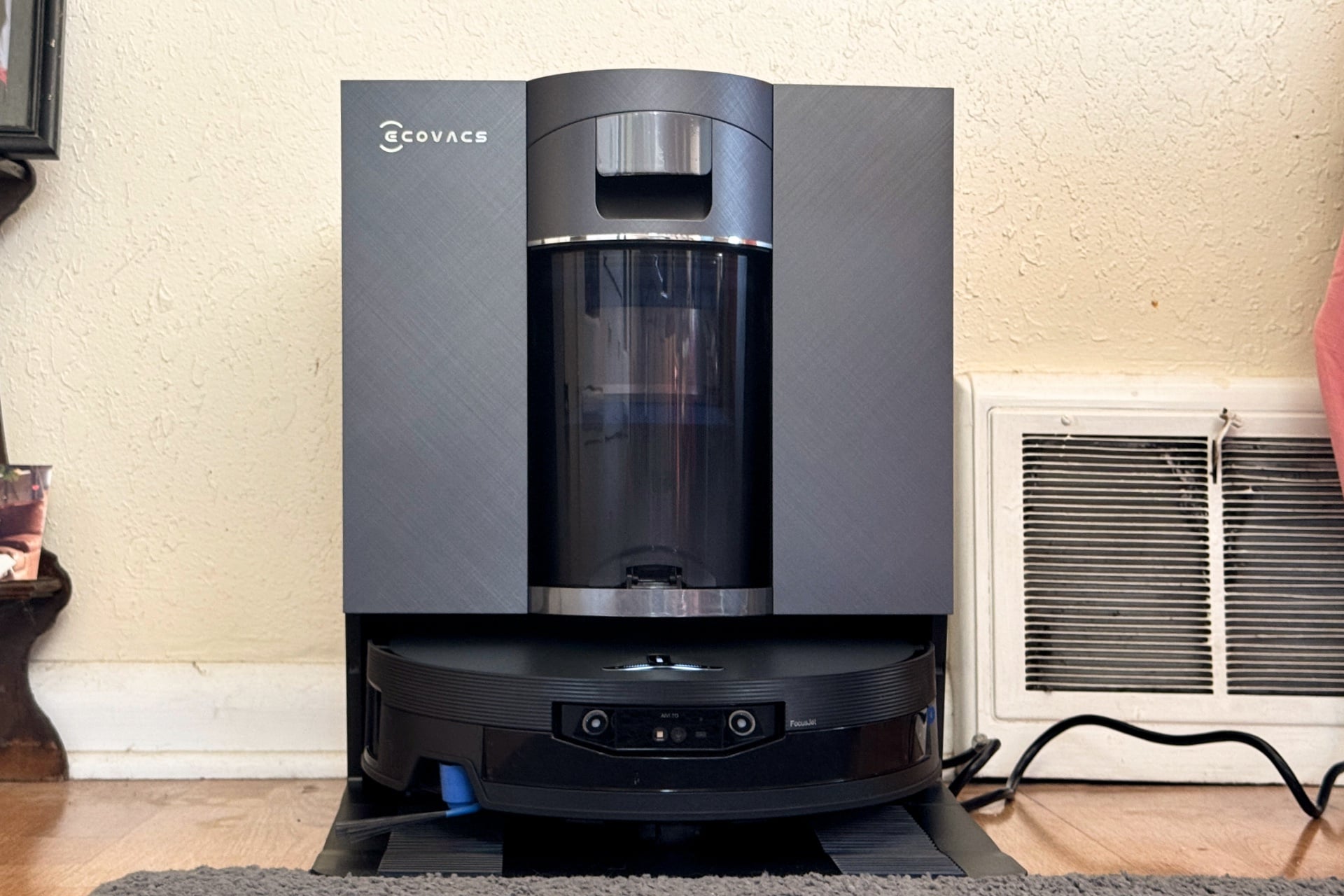
When self-emptying, the dock can be loud, but Ecovacs includes a quiet mode that significantly reduces noise to the point that I could comfortably carry on a conversation while it was on. (Such luxury! Every $1,000-plus robot vacuum should have this.) Happily, the X12’s dock is bagless, saving you from that ongoing expense.
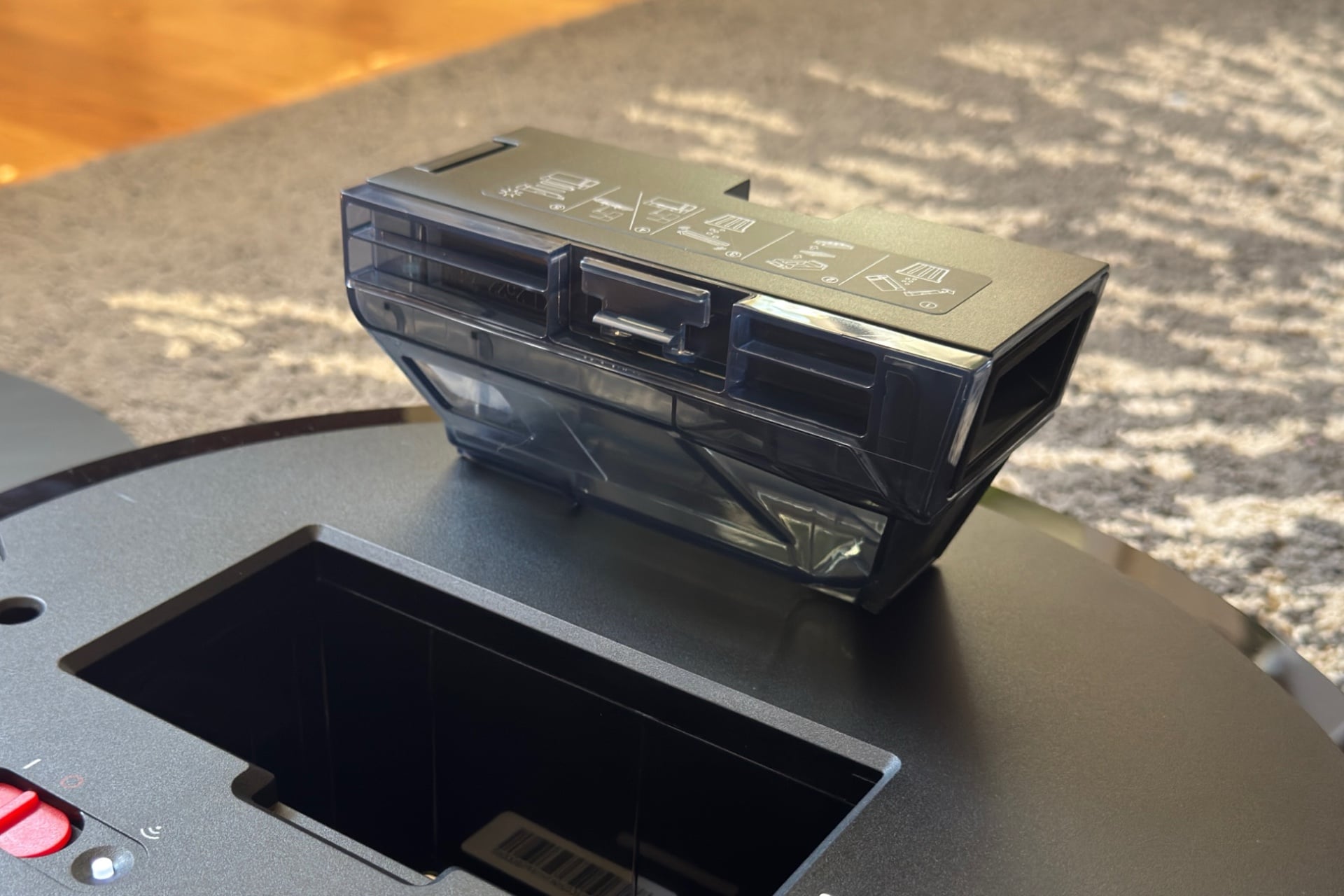
Near the end of testing, I found the robot’s bin was clogged and hadn’t been emptied for a few cleans. I cleared some debris and tried again, and it still had trouble. After clearing more, it sucked out most of the bin but left a lot of rice from earlier testing. With time and the wrong stuff sitting in the X12’s bin, I’d be concerned about bad smells building up in there and escaping during cleaning runs. Once I cleared the bin and let it self-empty at its leisure—you can set it to do so multiple times during a clean or just once at the end—it seemed to work just fine. If you haven’t cleaned your carpet in a while, it’s best to check it afterward to make sure it hasn’t developed a clog.
Just not up to the task
Things got iffy in two areas for the X12: AI and cleaning in cluttered or poorly lit areas. The robot has an AI cleaning mode called “AI Agent,” which lets it decide how and where to clean, taking into account preferences you set via a chatbot interface. In this mode, you’ll see a paragraph at the top of the cleaning progress screen that says what the robot is planning to do and what preferences you’ve set. For example, I had asked that it not try to mop my living room.
Unfortunately, in my testing, AI Agent mode made the X12 act like a different device—and not necessarily in a good way. For example, when powered by this AI Agent, the X12 seemed to get stuck in corners or under furniture more easily. It eventually got itself out of those situations—with a lot of spinning and lurching that was frustrating to watch. At one point, it moved haltingly over the patterned rug in my living room, as though it was trying to avoid unseen objects. That particular problem went away when I disabled “AI Stain Detection,” a feature that the app says is susceptible to recognition issues on patterned surfaces.
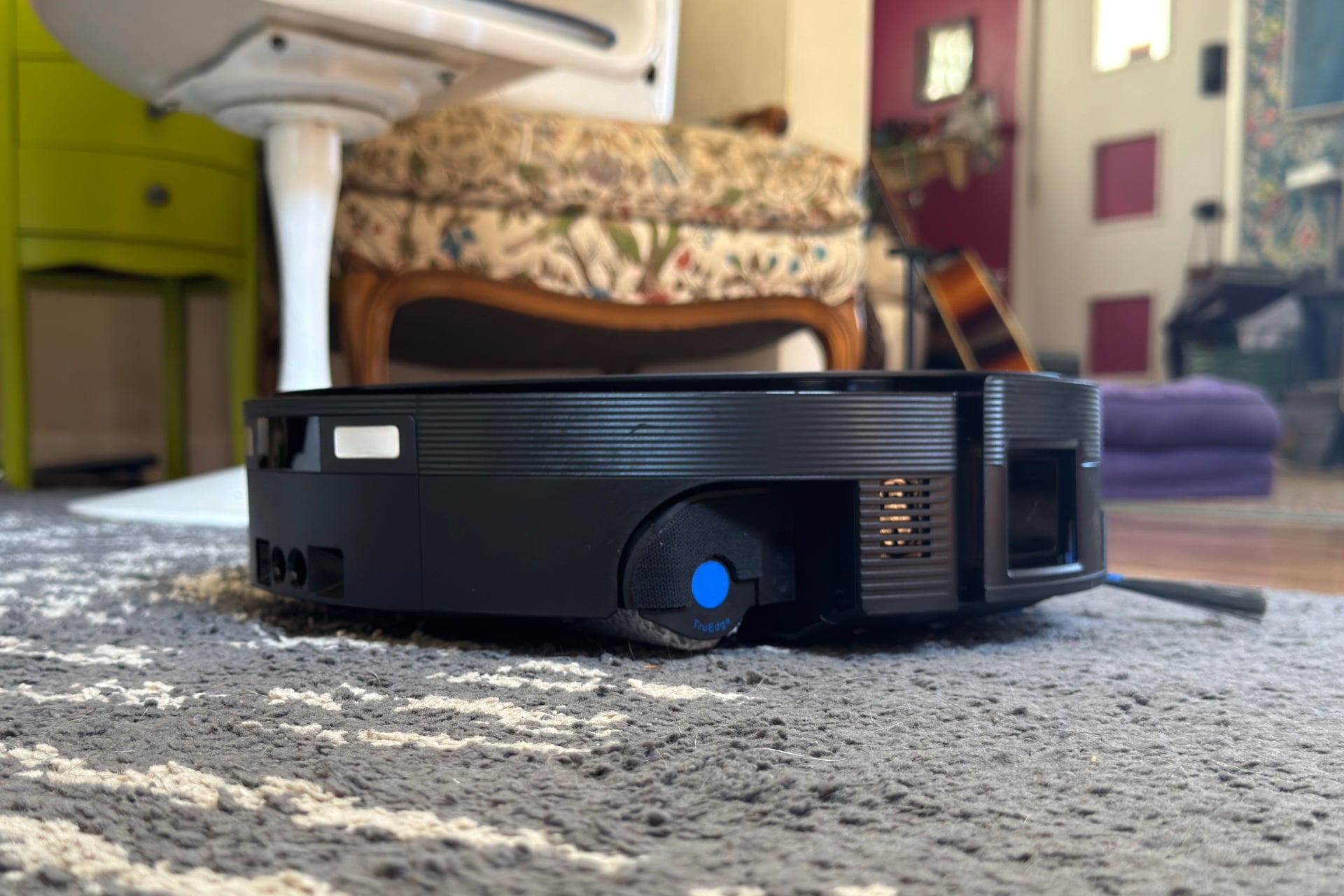
At night in AI Agent mode, the X12 absolutely couldn’t deal with my dining room. During one clean, it drove a meandering, confused-looking path for about 40 minutes, ramming into furniture hard enough to knock a portable battery off of a side table at one point. (It managed a more standard cleaning pattern without the AI Agent turned on, finishing the room.) I canceled that cleaning—it’s hard to sleep when it sounds like someone has broken into my house. During a daytime cleaning of the same room, I watched it do the same thing before eventually moving on to my kitchen and leaving half the dining room untouched. I suspect it just couldn’t handle the sweeping, circular bases of my table and chairs. Those always seem to give robot vacuums trouble, although most, including the X12 with AI Agent mode turned off, still manage to clean the whole room, if slowly.
Near the end of testing, the robot got better at handling my rug in AI Agent mode, but it still had a lot of trouble with my dining room and was overall slower to clean. I’d recommend leaving it in the non-AI mode and setting your own preferences.
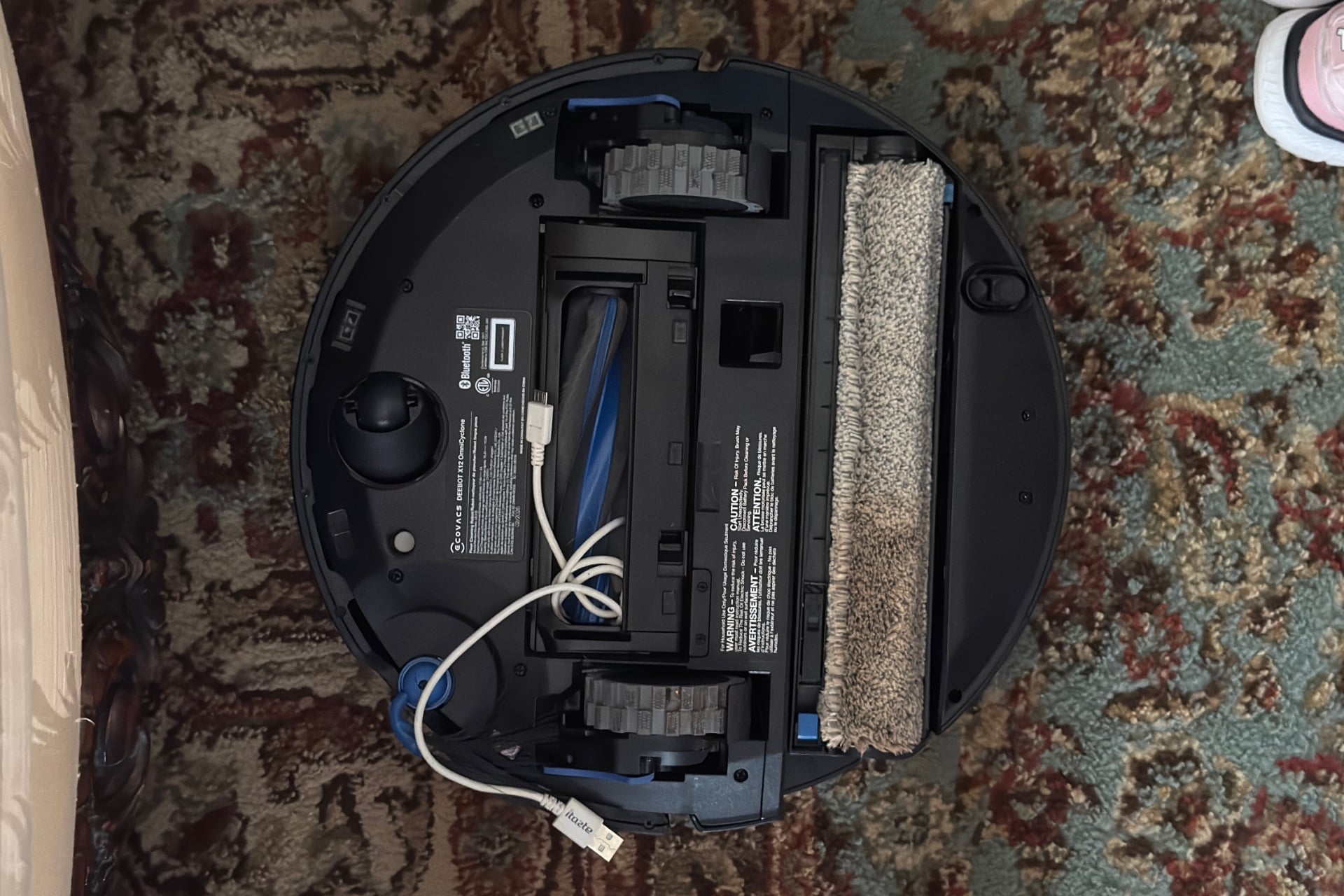
Even in the best of circumstances, the X12 was bad at avoiding things. It could clearly spot larger objects like shoes or backpacks, as it slowed when it got close to them and then bumped its way around them, sometimes hard enough to shove them aside. But smaller objects, like pencils or Legos, were doomed to be caught in its maw. Cables tripped it up, too: I offered up a bright white, sacrificial micro USB cable, stretched out very obviously on the dark rug in the middle of my living room, and the robot still managed to catch it and wrap it around its dust roller. And while some robot vacuums are pretty good at avoiding feet, this one wasn’t and ran into mine anytime I stood my ground as it approached. (R.I.P. my toes, 1983 – 2026.)
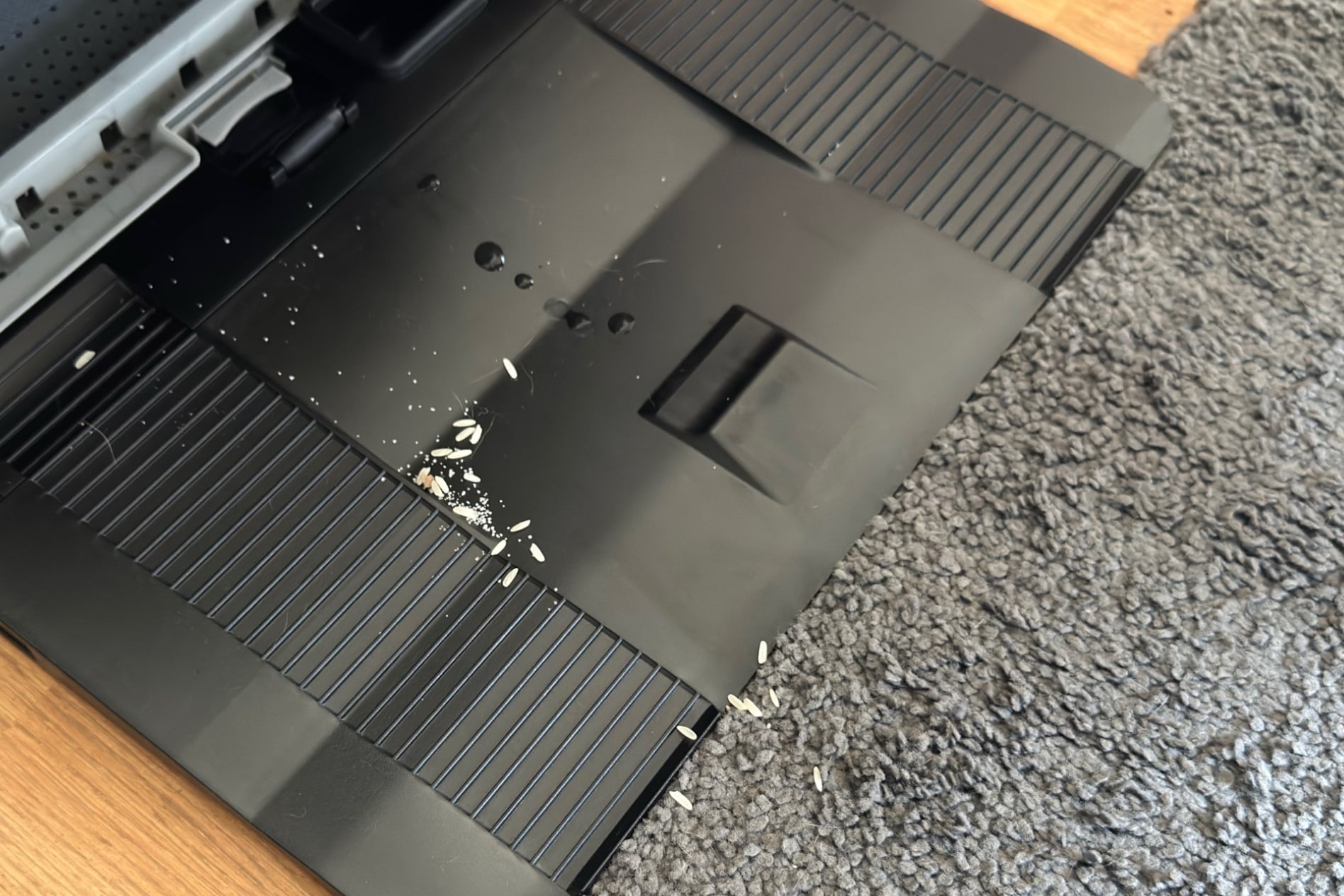
When I tested its ability to clean up granulated sugar and then rice, the X12 initially seemed to do well. It left behind about a quarter teaspoon of the tablespoon of sugar I’d spilled on the floor, and a quarter teaspoon of an eighth cup of rice, both right in line with the Eufy Omni E28, but worse than the Matic, which excelled at both and is my favorite robot vacuum at the moment. When I walked to the X12’s dock after sending it on another test run elsewhere, I saw that it had dumped a lot of sugar and rice out on the tray it rests on while charging. As I walked around, I found more rice grains that had shaken out of it elsewhere, in all about another half-teaspoon.
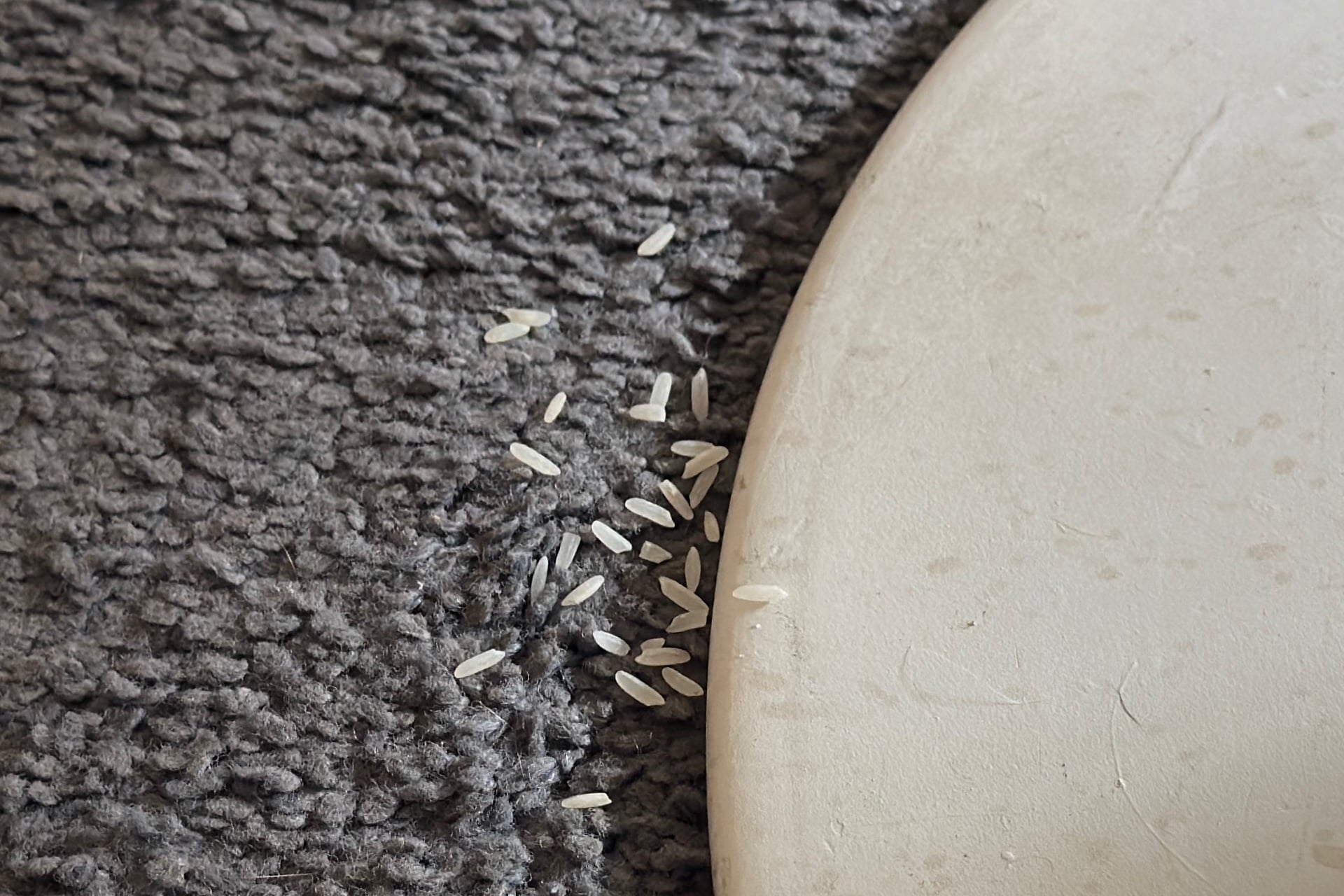
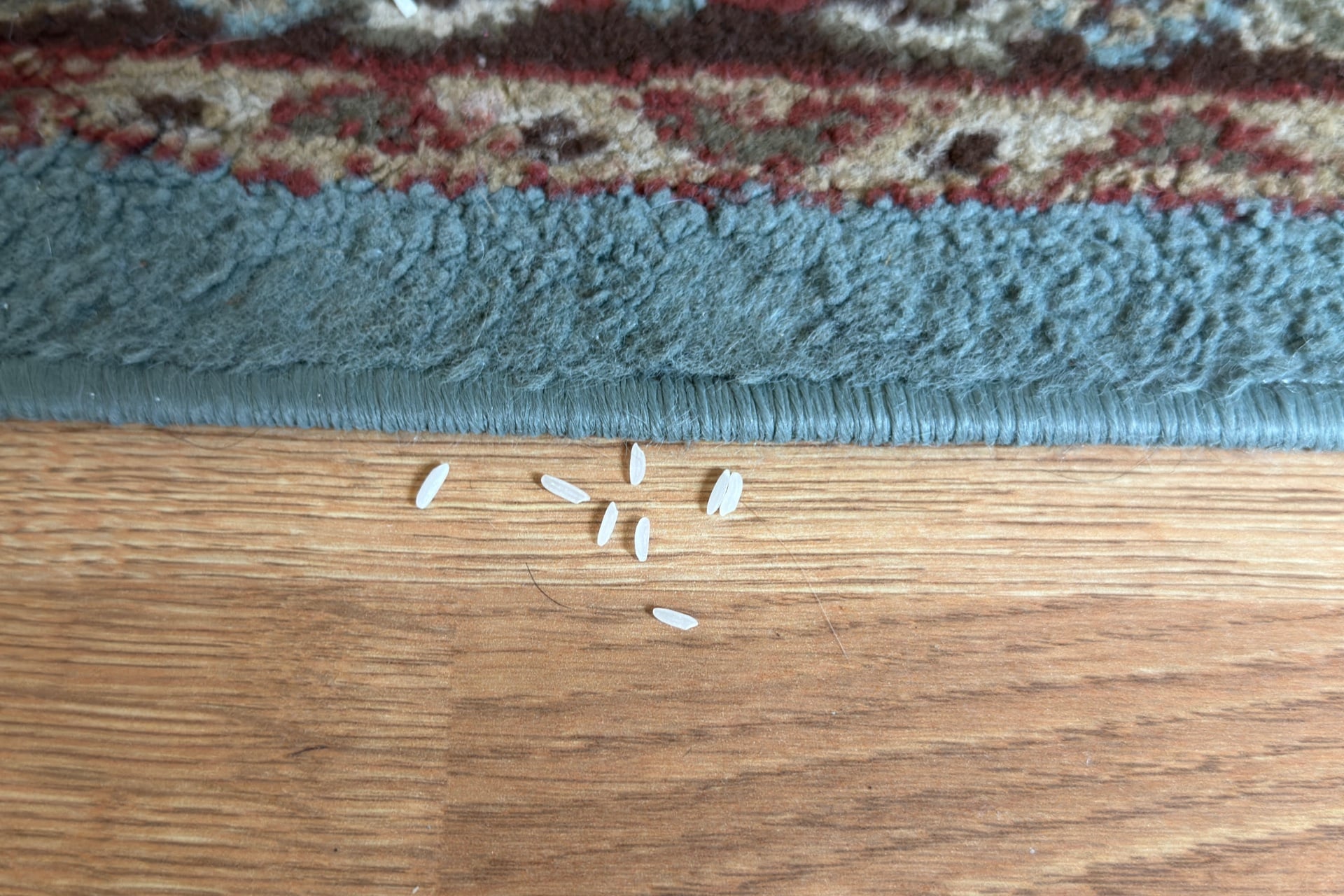
I soon realized the robot had been doing this with other stuff it picked up, leaving balled-up hair and paper near its dock. The clogged bin I mentioned above probably accounts for some of it, but not all. After all, the rice debacle happened early in my testing process, before it had done any significant vacuuming otherwise. I’ve seen issues like this with other robot vacuums, too. My old iRobot Roomba J7 could drop things like rice grains that got stuck being tossed around by its roller brushes without being sucked into its bin, and the Aqua10 Ultra Roller left balled-up hair around my house at times, especially when I sent it after basement carpeting that hadn’t been cleaned in a while.
The X12 started out as a very slow robot. By day, with sunlight pouring through the windows, it took two hours or more for it to vacuum the roughly 300 square feet of common area on my main floor in its “Standard” mode (it also has “Deep Cleaning” and “Quick”), something that takes the Omni E28 about 30 minutes to do. During those rice tests I mentioned earlier, the X12 took about 12 minutes to vacuum a very small area; the Matic could both mop and vacuum the same spot in less than 10 minutes. That said, it did seem to speed up eventually. Whether that’s because it received a software update (the app wasn’t clear about when it had most recently gotten one) or it had simply adjusted to my home, it eventually was cleaning about twice as fast, falling more in line with the Matic at around an hour to vacuum all of the common areas of my main floor.
There are better vacuums for your money
I know I’m hard on robot vacuums, and I try to be realistic about their capabilities and limits. The usual path for me is to give it a shot with my floors picked up, then add challenges as I go, sprinkling in targeted tests. But the Deebot X12 OmniCycle showed early signs it would disappoint me when I used the AI Agent model, like getting confused in rooms that almost no other robot vacuum I’ve tested does, and totally failing in my dining room, where other robot vacuums tend to succeed, even if it takes a while.
Things were better with the AI Agent turned off, but even then, the robot vacuum was still spilling grains of rice when it hit bumps, ramming furniture hard enough to knock things off of it, running over toes, and drawing in cables strewn in plain sight. At first, I was wary of how easily its dustbin could clog, but it was better when I let it self-empty more frequently. Still, that’s not ideal for households with people sensitive to abrupt, loud noises.
Many of these are problems I’d forgive in a cheap robot vacuum, but luxury products like this demand higher standards that the $1,500 X12 OmniCycle plainly doesn’t meet. Maybe you could get away with it in a sparsely decorated, more predictable environment, but even then, you’d be better off with cheaper options like the $1,341 Matic (which was $1,095 when I reviewed it last year, but has since gone up in price) or, if you want your robot to go under your couch, the Eufy Omni E28. The Ecovacs Deebot X12 OmniCycle has some things going for it, such as its excellent mopping performance and the fact that you’ll never have to buy replacement dust bags for the dock, but if your home is prone to clutter, it’s best to look elsewhere.