


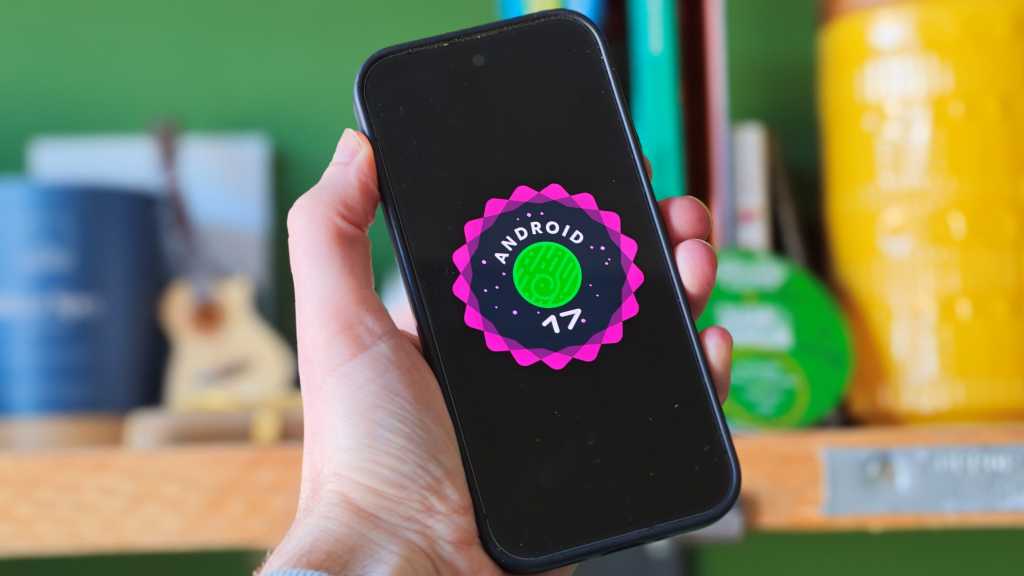
Android 17: In summary
- Huge AI push with Gemini Intelligence features
- Custom widgets can be created with Gemini
- Pause Point will stop you from doomscrolling
- New security features to stop bank impersonators
- Coming to some Pixel and Galaxy phones first this summer
Google just had its Android-focused I/O event and with it, finally pulled back the curtain on what we can expect to see with the brand’s next big mobile update: Android 17. Although there are still a few lingering questions that probably won’t be answered until we get a chance to test out Android 17 for ourselves, the early sense is that this could be a major leap forward for Google’s platform, with several features that are sure to make iPhone users jealous.
If you’ve been following our news coverage over the last few months then you’ll know that the rumour mill and various beta tests have churned out endless tidbits of information over what Android 17 might entail, and while this meant that some of the surprise was taken out of the main event, there are a few new features that have caught us off guard, and most of them are related to AI.
It’s no real secret to anyone that Google is leading the charge right now when it comes to AI on smartphones, followed closely by Samsung, while Apple is leagues behind. It’s exactly why Apple will supposedly allow its AI model to lean on Gemini from iOS 27 onwards for more complex requests, so it makes sense why Google is continuing to double down on Gemini for Android 17.
Still, for those who are on the fence about AI or just aren’t enamoured by what it brings to the table, there are plenty of non-AI-led features that Google is implementing in Android 17, so it’s worth seeing what they are and how you can make the most of them. Further on, we also discuss when you can expect to see Android 17 arrive on your device.
Foundry
Android 17: What’s new?
In summary
- Gemini Intelligence can complete tasks on your behalf
- Create new custom widgets with AI
- AirDrop compatibility to be expanded
- More security features to tackle malicious apps and calls
- Screen Reactions is a new video feature for content creators
Gemini Intelligence expands the scope of mobile AI
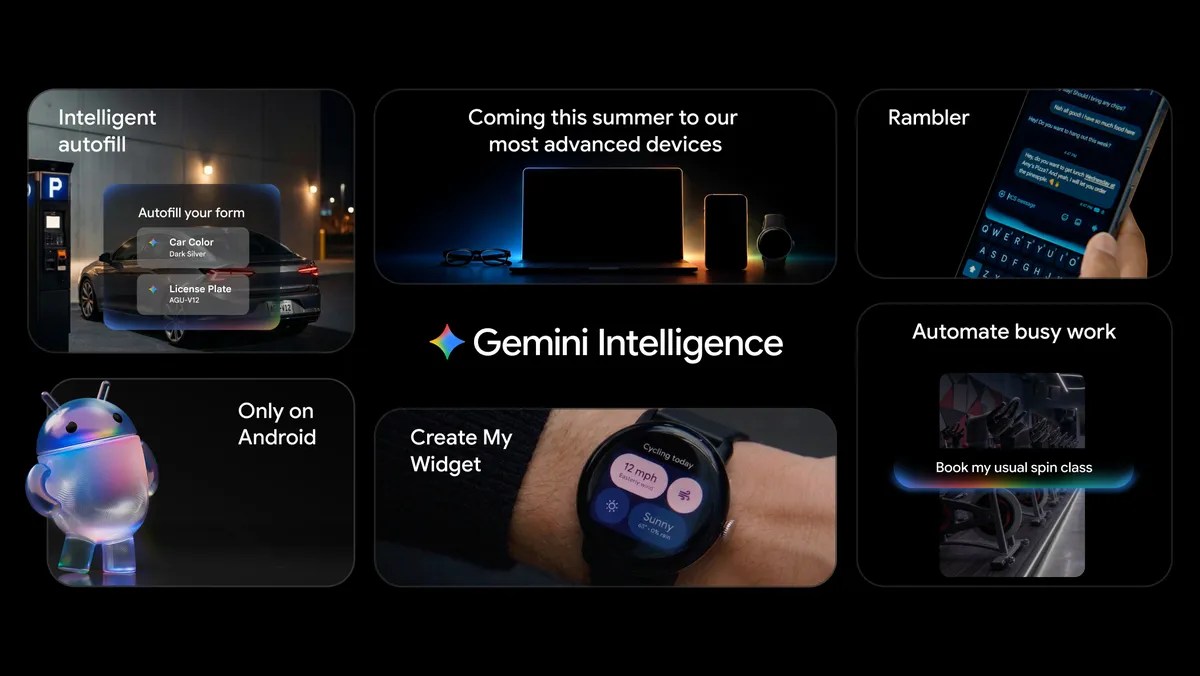
Gemini is very much at the heart of Android 17, and there are tons of new AI-powered features that are launching under the umbrella of Gemini Intelligence, all with the concept of executing multi-step tasks on your behalf.
Google showed off a handful of examples of Gemini Intelligence in action, the most impressive of which involved showing the AI model a poster for a tasting tour in Costa Rica, and then asking it to find something similar for a group of six people via Expedia. In the demo, Gemini Intelligence was able to track down a booking in the background for a tour that fit the bill, with the final step of simply paying for the booking itself being offered up to the user to manually confirm it.
In another demo, Google showed how Gemini Intelligence can be put to work via the Chrome browser thanks to a dedicated summon button next to the tab number. Here, the user asked Gemini to find and book nearby parking for an event that was being looked at in the browser, and it was able to do just that, all with an understanding of the timings that were shown on the page. Just like before, the only part that the user had to concern themselves with was the checkout right at the very end.
Google also showed off how Gemini Intelligence could be used to quickly fill in more complex forms, such as those for a flight booking which might require passport details. It’s all rather impressive, and if it can work in quite the same way as it’s been demoed then the very nature of how we use our smartphones could be about to change. After all, who would want to go through a laborious booking process again if you could just ask AI to do it for you?
Credit: Google
The speech-to-text aspect of Gemini is also getting a major upgrade here, with an update known as Rambler. Although speech-to-text has existed on smartphones for years now, anyone who’s put the feature to the test can likely attest to mixed results, but Rambler is far more advanced and capable of removing pauses or filler words from the final copy.
It can also understand requests within a sentence, so if you’re trying to make plans with a friend for Monday but decide halfway through your speech that Wednesday would be more convenient, you can ask Gemini to change the day mentioned and Rambler will take care of it. Going one step further, Rambler is also capable of recognising multiple languages as you speak, so for any multilinguals out there, you can voice your ideas in whichever tongue feels best in the moment and Rambler will work to accommodate you.
This is exactly the kind of innovation that could finally make speech-to-text messaging a reliable form of communication, and in a roundabout way, it would also help to combat the needless scrolling that typically happens after you send a message to someone. If you can stay focused on the task at hand, whether that be cooking or working at your laptop, and simply respond to a message solely via your voice, then there’s little chance of going down a doomscrolling rabbit hole.
This could have been included in the above section as it is powered by Gemini Intelligence, but we wanted to highlight it here as Google’s lacklustre approach to widgets (something which has been historically far better on iOS) could finally be coming to an end.
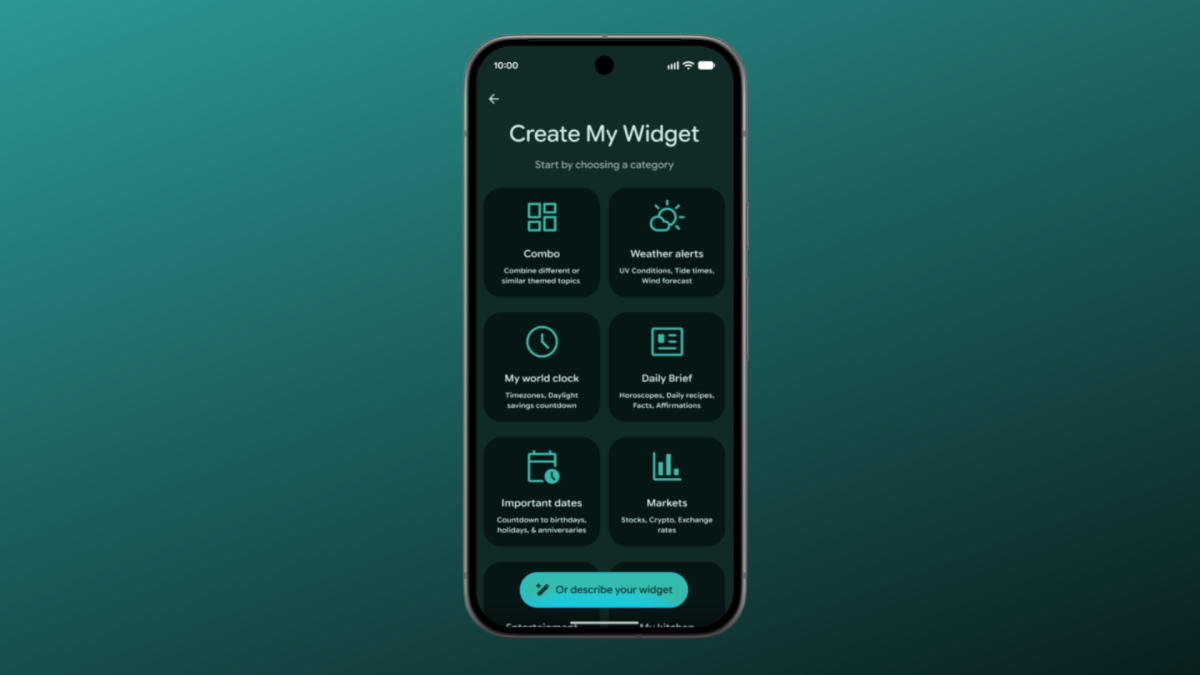
As a means of ending our wait for Google to develop new widgets, the brand has tasked Gemini with doing it on the company’s behalf, and allowing the user to put together a custom widget based on what they need.
Credit: Google
Google’s demo showed off a few templates such as ‘Markets’ and ‘Daily Brief’ to help you structure a new widget, but if you’re feeling adventurous, you can just describe what you’re after to Gemini, and the AI will take care of it. The example Google showed here was the user asking for a countdown widget to their next marathon, which presumably scanned the Google Calendar in the background, but it took just a few seconds for a competent widget to be put together.
Whether or not these widgets match the eye-catching aesthetic of iOS widgets is up for debate, but the ability to have custom widgets is sure to have Apple fans wondering why they can’t do the same.
As much as we love testing the latest smartphones, there’s no denying that when you’ve got social media apps installed, the temptation to doomscroll can be a bit too great at times which is why we’re big fans of any method to help do away with the activity. We’ve seen some great solutions such as app timers and focus modes, but it now appears that Google is looking to combine the best of all measures into one helpful feature known as Pause Point.
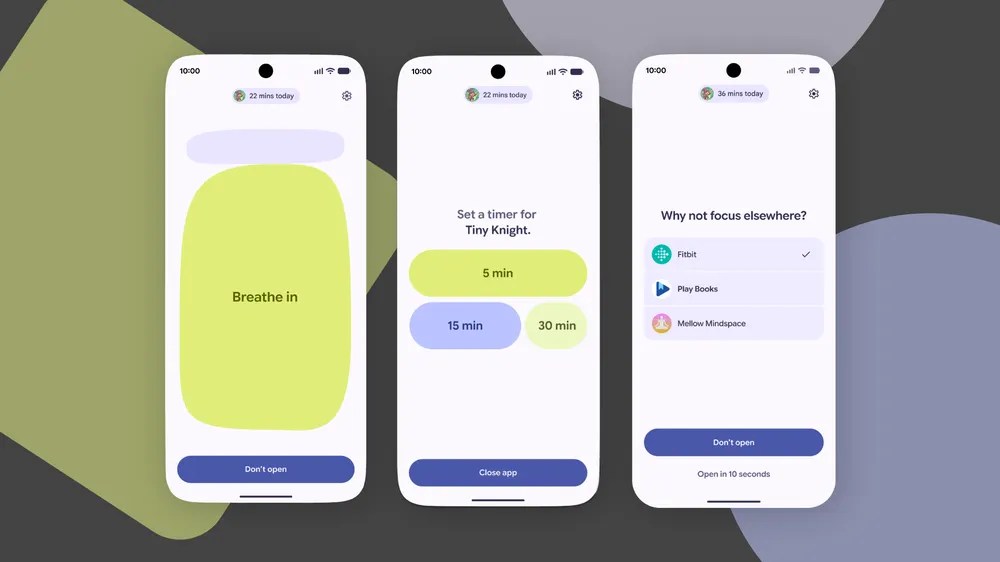
The way it works is that, once you’ve opened an app that’s known for its distracting qualities, you’ll be met with a scaled-back UI, imploring you to take a moment to breathe and ponder whether you really need to use the app at all. You’ll also be given a list of alternative, more intellectually stimulating apps that might serve you better, such as Google Play Books.
Credit: Google
If you do genuinely need to use the app in question then you can set a brief timer to ensure that you don’t waste too much time with it. The whole thing feels like a great addition to the ecosystem – adhering to the much-discussed idea that if you add just enough friction into the mix then people will be less likely to spend time on social media.
Recording your reaction just got easier
Here’s one for all the content creators out there. Because there’s always a never-ending market for reaction videos, Google is looking to make the process of filming them much easier than before. With its new Screen Reactions software, you can screen record and film via the selfie camera simultaneously.
The software will also cut out the background around you without any fuss, so you can direct viewers to the focus of your ire or praise.
Greater compatibility with AirDrop
We’re still not quite over the fact that the Pixel 10 and Samsung Galaxy S26 ranges can receive files via AirDrop given just how crucial the software has been to Apple’s walled garden, but its expansion has clearly proven to be popular with the Android crowd as Google is now looking to bring more phones into the fold with Android 17.
Not only are phones from Honor, OnePlus and Xiaomi looking to be included, but it’s now possible for Android users to generate a QR code via Quick Share which can then be scanned by an iPhone user to receive a selected file. As a means of breaking down the barriers between Android and iPhone, especially within households that have users of both ecosystems, we’re all for it.
Credit: Google
Security improvements for peace of mind
Security upgrades are fairly commonplace with each new version of Android but there are a few notable additions with this latest round that are sure to have an impact on daily use.
For starters, one of the big issues regarding digital security in the modern age is that of bad actors trying to impersonate your bank over the phone. It’s easy for less tech-savvy folk to get caught out but now Google is looking to tackle the problem head-on as Android can converse with your banking app in the background to find out if a call is genuine or not, and then end the call before any of your details can be extracted. Bear in mind that this software will only work with a handful of banks to begin with, but here’s hoping that more hop on board the program.
The new Live Threat Detection feature can let you know if an installed app is acting in a peculiar way. If an app has been compromised then you’ll be prompted to uninstall it right away before it can do any damage.
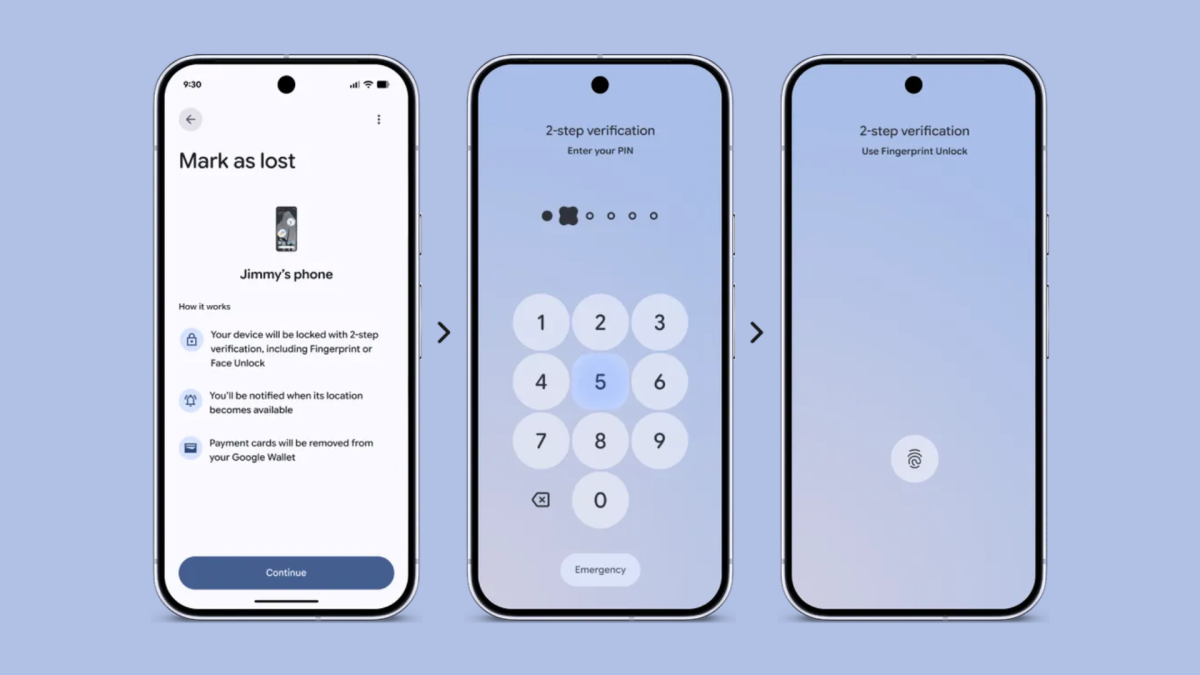
Users will also be given more tools if their phone is stolen, as the ‘Mark as lost’ feature ensures that biometric authentication is required to turn off a phone, and not just the passcode or PIN.
When will Android 17 be released?
In summary
- Launching this summer for a handful of phones
- Stable release expected in June or July
- Rollout will be staggered, starting with Pixel phones
While Google has yet to announce an official release date for Android 17, we do know that the first batch of eligible phones will have the update installed this summer.
However, Android 17 has been available in its beta form for a few months now, having released in early February. The full stable release is expected to launch in June or July 2026.
It’s also worth mentioning that even when Google does announce a release date for the final build of Android 17, it doesn’t necessarily mean that your phone will get that upgrade on the same day.
Brands need to optimise the OS to fit their overlays, such as Samsung’s One UI or OnePlus’ OxygenOS, but those with a Pixel phone will get it first (more details on this below).
For context, here are the release dates for previous Android builds:
- Android 16 – June 2025
- Android 15 – September 2024
- Android 14 – October 2023
- Android 13 – August 2022
- Android 12 – October 2021
Which phones are getting Android 17?
In summary
- Latest Pixel and Samsung phones to get Android 17 first
- Older flagships such as the Honor Magic 5 Pro and Oppo Find X6 Pro aren’t eligible
The first phones to receive Android 17 will be the Samsung Galaxy S26 and Pixel 10 ranges, at an unspecified time in the summer.
As with any new Android release, while the latest and greatest phones are shoo-ins to receive the new software, a lot of older phones aren’t so lucky. You can read our extensive breakdown here (and which phones won’t get it), but for a quick look as to which phones from the big brands are covered, here’s what you need to know.
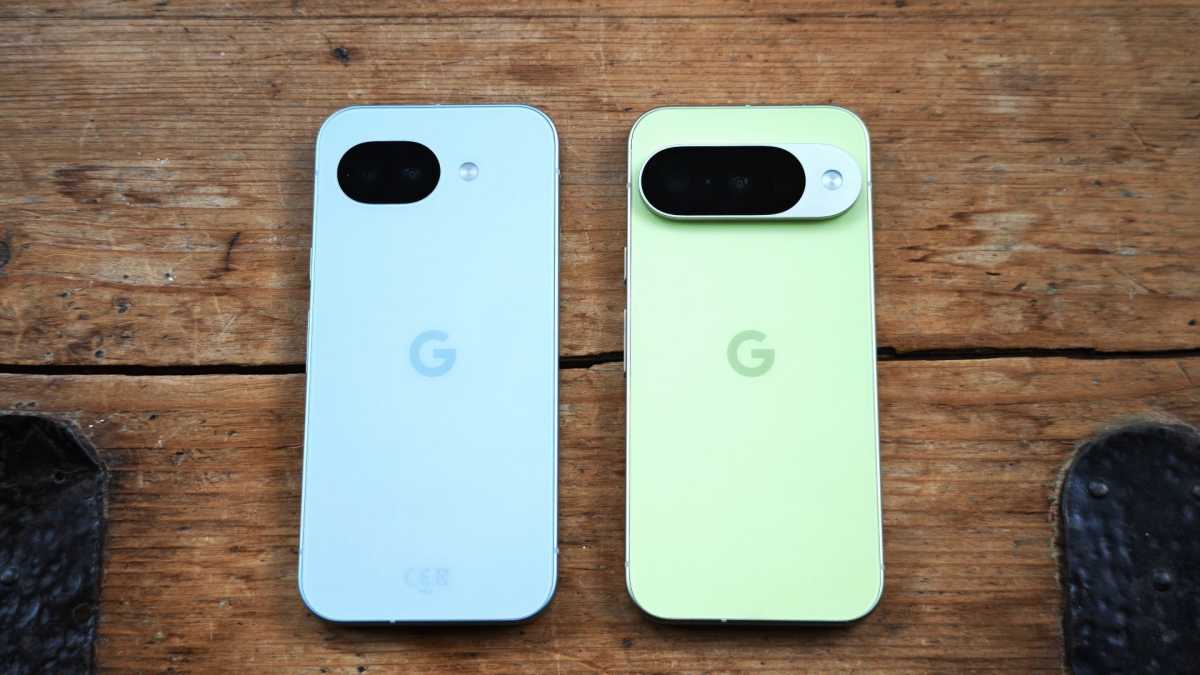
Starting with Google’s own-brand of Pixel phones, not only do we expect the upcoming Pixel 11 devices to be the first of their kind to launch with Android 17 right out of the box, but every mainline Pixel phone dating back to the Pixel 6 line-up will get the update at some point.
Unfortunately, this means that anyone using a Pixel 5 and below will need to pick up a newer phone to stay in the software loop.
Chris Martin / Foundy
For Samsung Galaxy users, anyone who still has a handset from the S22 line-up or older should upgrade or risk having their phone wide open to software bugs and security exploits. Thankfully, you won’t have to spend too much, as a lot of Samsung’s budget phones, including previous-gen picks such as the Galaxy A16 and the Galaxy A36, are eligible.
Just as with Samsung, there’s a good amount of variety when it comes to the Xiaomi phones still being supported. For instance, if you’re still rocking 2023’s Xiaomi 13T, you won’t have to upgrade your phone for at least another year, and the same goes for users of the Poco F6 range.
Things are a bit more dicey with Honor as it seems as though the company’s 2023 flagship, the Honor Magic 5 Pro, will not be included as part of the Android 17 cycle, which is a tough pill to swallow given that the phone cost around £950 at the time of launch, and it’s now being outlived by mid-range phones that are only half that price.
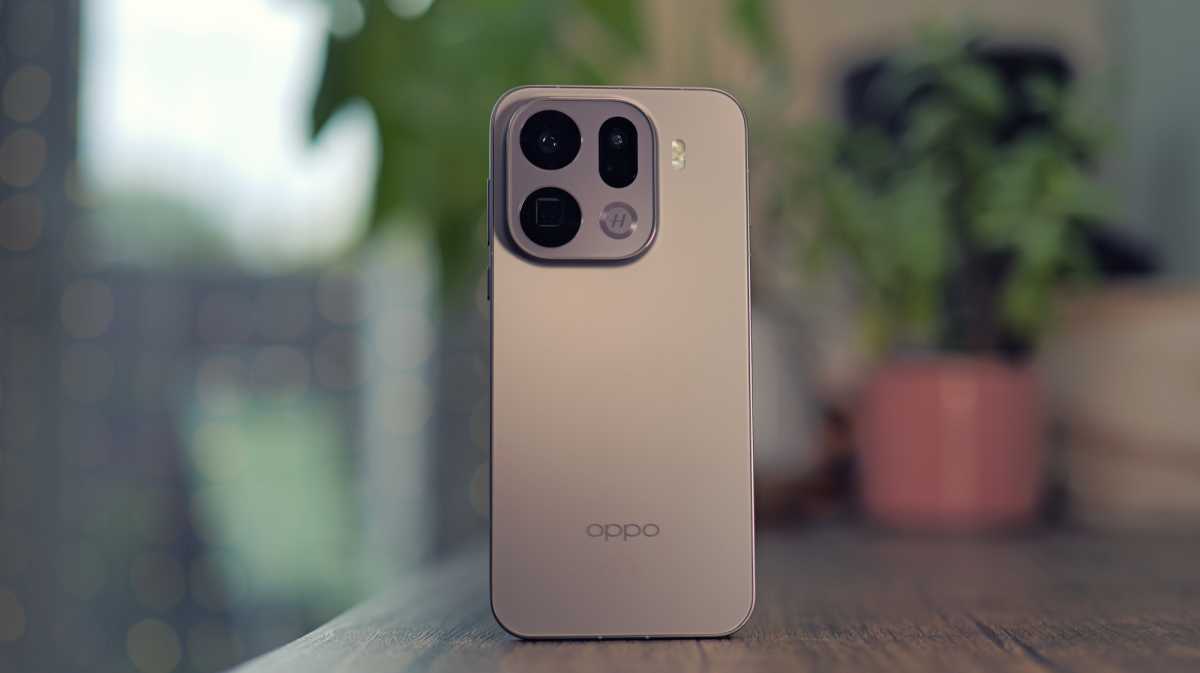
It’s a similar situation for anyone who adopted the high-end Oppo Find X6 Pro when it first came out, as that flagship from just a few years back will not be included in the current update cycle. Anyone sporting a Find X7 and above will be fine, though.
Luke Baker
Finally, OnePlus users have a bit more leeway as it’s only the OnePlus 10 Pro (2022) and below that won’t be included, so anyone using a OnePlus 11 and above can expect to see the Android 17 update in the near future.
Android 17 FAQ
What is Android 17?
Android 17 is the latest version of Google’s mobile platform, bringing several major updates and security patches to Android phones.
When is Android 17 coming out?
Android 17 will officially release in summer 2026 – likely June/July – for a handful of phones, and will gradually roll out to more over weeks and months.
Is there a beta for Android 17?
Yes, there is a beta program available for Android 17, which can be signed up for here.
How is Android 17 different to Android 16?
Android 17 has several new features, including hands-free task completion via Gemini Intelligence and the ability to create custom widgets.